光线投射
Open3D 中的 RaycastingScene 类提供了基础的光线投射(ray casting)功能。本教程展示如何创建场景并做光线相交测试(ray intersection test)。你也可以用 RaycastingScene 从一个网格(例如 CAD 模型)创建虚拟点云。
第一步是用一个或多个三角网格来初始化一个 RaycastingScene。
# Load mesh and convert to open3d.t.geometry.TriangleMeshcube = o3d.geometry.TriangleMesh.create_box().translate([0, 0, 0])cube = o3d.t.geometry.TriangleMesh.from_legacy(cube)# Create a scene and add the triangle meshscene = o3d.t.geometry.RaycastingScene()cube_id = scene.add_triangles(cube)add_triangles() 会返回所添加几何体的 ID。该 ID 可用来识别光线命中了哪个网格。
print(cube_id)输出:
0现在我们可以生成光线,它们是带有原点(origin)和方向(direction)的六维向量。
# We create two rays:# The first ray starts at (0.5,0.5,10) and has direction (0,0,-1).# The second ray start at (-1,-1,-1) and has direction (0,0,-1).rays = o3d.core.Tensor([[0.5, 0.5, 10, 0, 0, -1], [-1, -1, -1, 0, 0, -1]],                       dtype=o3d.core.Dtype.Float32)
ans = scene.cast_rays(rays)
结果中包含了光线与场景中几何体可能相交的信息。
print(ans.keys())输出:
dict_keys(['primitive_uvs', 'primitive_ids', 'geometry_ids', 'primitive_normals', 't_hit'])t_hit是到交点的距离。其单位由光线方向的长度定义。如果没有交点,则为inf。geometry_ids给出被光线命中的几何体 ID。如果没有命中任何几何体,则为RaycastingScene.INVALID_ID。primitive_ids是被命中的三角形的索引,或为RaycastingScene.INVALID_ID。primitive_uvs是交点在所在三角形内的重心坐标(barycentric coordinates)。primitive_normals是被命中三角形的法向量。
从 t_hit 和 geometry_ids 可以看出,第一条光线命中了网格,而第二条光线没有命中。
print(ans['t_hit'].numpy(), ans['geometry_ids'].numpy())输出:
[8.999999 inf] [ 0 4294967295]现在我们创建一个包含多个物体的场景。
# Create meshes and convert to open3d.t.geometry.TriangleMeshcube = o3d.geometry.TriangleMesh.create_box().translate([0, 0, 0])cube = o3d.t.geometry.TriangleMesh.from_legacy(cube)torus = o3d.geometry.TriangleMesh.create_torus().translate([0, 0, 2])torus = o3d.t.geometry.TriangleMesh.from_legacy(torus)sphere = o3d.geometry.TriangleMesh.create_sphere(radius=0.5).translate(    [1, 2, 3])sphere = o3d.t.geometry.TriangleMesh.from_legacy(sphere)
scene = o3d.t.geometry.RaycastingScene()scene.add_triangles(cube)scene.add_triangles(torus)_ = scene.add_triangles(sphere)
RaycastingScene 允许用任意数量的前导维度来组织光线。例如,我们可以生成一个形状为 [h,w,6] 的数组,用以组织用于生成图像的光线。该类还提供了便捷函数,用于为针孔相机(pinhole camera)创建光线。下面的代码创建了形状为 [480,640,6] 的光线张量。
rays = o3d.t.geometry.RaycastingScene.create_rays_pinhole( fov_deg=90, center=[0, 0, 2], eye=[2, 3, 0], up=[0, 1, 0], width_px=640, height_px=480,)# We can directly pass the rays tensor to the cast_rays function.ans = scene.cast_rays(rays)输出张量会保留光线的形状,因此我们可以直接用 matplotlib 可视化命中距离,从而得到一张深度图(depth map)。
import matplotlib.pyplot as pltplt.imshow(ans['t_hit'].numpy())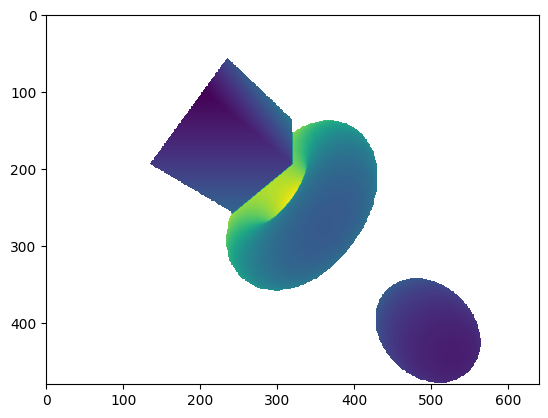
进一步地,我们还可以绘制其他结果,以可视化三角面片法向量等。
# use abs to avoid negative valuesplt.imshow(np.abs(ans['primitive_normals'].numpy()))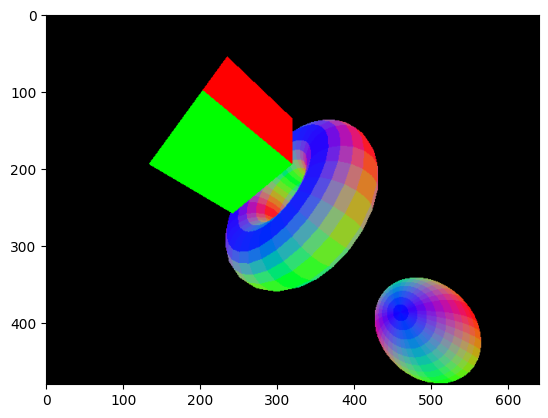
plt.imshow(ans['geometry_ids'].numpy(), vmax=3)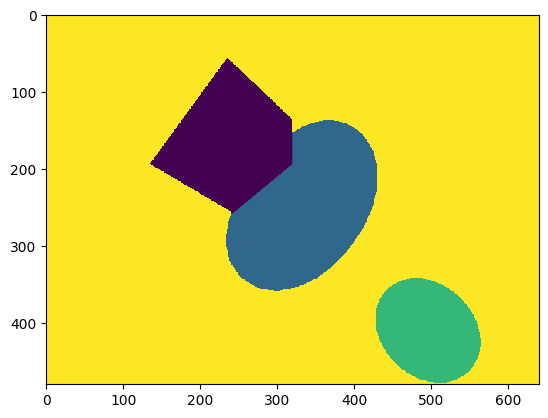
创建虚拟点云
Section titled “创建虚拟点云”我们还可以利用命中距离来计算交点的 XYZ 坐标。这些点就相当于把一个虚拟的三维传感器放置在光线原点处所能获得的点。
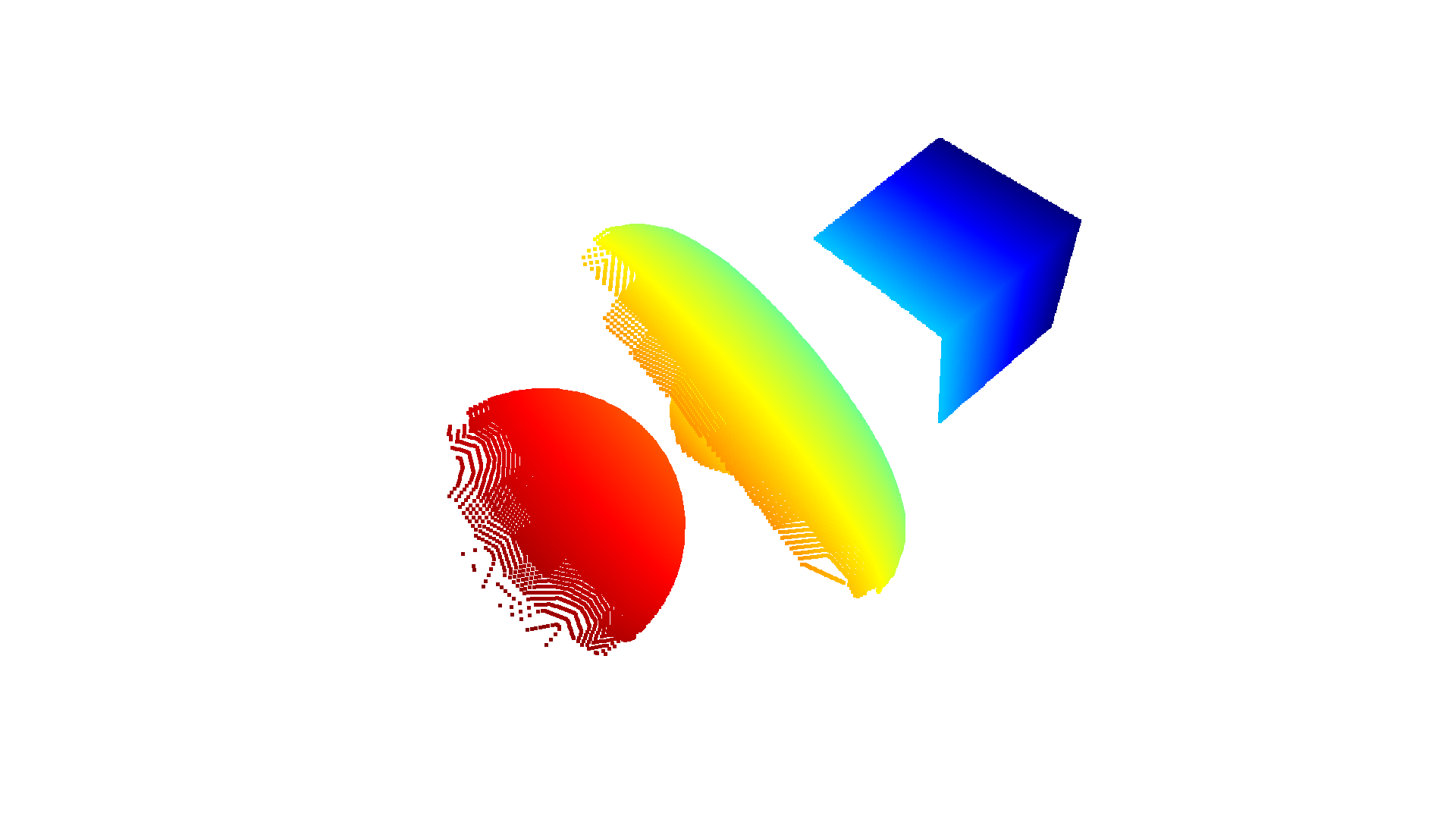
hit = ans['t_hit'].isfinite()points = rays[hit][:,:3] + rays[hit][:,3:]*ans['t_hit'][hit].reshape((-1,1))pcd = o3d.t.geometry.PointCloud(points)# Press Ctrl/Cmd-C in the visualization window to copy the current viewpointo3d.visualization.draw_geometries([pcd.to_legacy()], front=[0.5, 0.86, 0.125], lookat=[0.23, 0.5, 2], up=[-0.63, 0.45, -0.63], zoom=0.7)# o3d.visualization.draw([pcd]) # new API