
配合 NumPy 使用
Open3D 中的所有数据结构都与 NumPy 缓冲区原生兼容。下面的教程使用 NumPy 生成一个 sinc 函数的变体,并用 Open3D 对该函数进行可视化。
首先,我们生成一个 n × 3 的矩阵 xyz。每一列分别对应函数 z = sin(x² + y²) / (x² + y²) 的 x、y 和 z 值。z_norm 是 z 归一化到 [0,1] 范围后的结果。
# Generate some neat n times 3 matrix using a variant of sync functionx = np.linspace(-3, 3, 401)mesh_x, mesh_y = np.meshgrid(x, x)z = np.sinc((np.power(mesh_x, 2) + np.power(mesh_y, 2)))z_norm = (z - z.min()) / (z.max() - z.min())xyz = np.zeros((np.size(mesh_x), 3))xyz[:, 0] = np.reshape(mesh_x, -1)xyz[:, 1] = np.reshape(mesh_y, -1)xyz[:, 2] = np.reshape(z_norm, -1)print('xyz')print(xyz)输出:
xyz[[-3. -3. 0.17846472] [-2.985 -3. 0.17440115] [-2.97 -3. 0.17063709] ... [ 2.97 3. 0.17063709] [ 2.985 3. 0.17440115] [ 3. 3. 0.17846472]]从 NumPy 转换为 open3d.PointCloud
Section titled “从 NumPy 转换为 open3d.PointCloud”Open3D 支持将 NumPy 矩阵转换为三维向量。借助 Vector3dVector,可以直接将一个 NumPy 矩阵赋值给 open3d.PointCloud.points。
通过这种方式,任何类似的数据结构(如 open3d.PointCloud.colors 或 open3d.PointCloud.normals)都可以用 NumPy 来赋值或修改。下面的代码还会把该点云保存为 ply 文件,供下一步使用。
# Pass xyz to Open3D.o3d.geometry.PointCloud and visualizepcd = o3d.geometry.PointCloud()pcd.points = o3d.utility.Vector3dVector(xyz)o3d.io.write_point_cloud("sync.ply", pcd)输出:
True从 open3d.PointCloud 转换为 NumPy
Section titled “从 open3d.PointCloud 转换为 NumPy”如本例所示,类型为 Vector3dVector 的 pcd_load.points 可以用 np.asarray 转换为 NumPy 数组。
# Load saved point cloud and visualize itpcd_load = o3d.io.read_point_cloud("sync.ply")
# Convert Open3D.o3d.geometry.PointCloud to numpy arrayxyz_load = np.asarray(pcd_load.points)print('xyz_load')print(xyz_load)o3d.visualization.draw_geometries([pcd_load])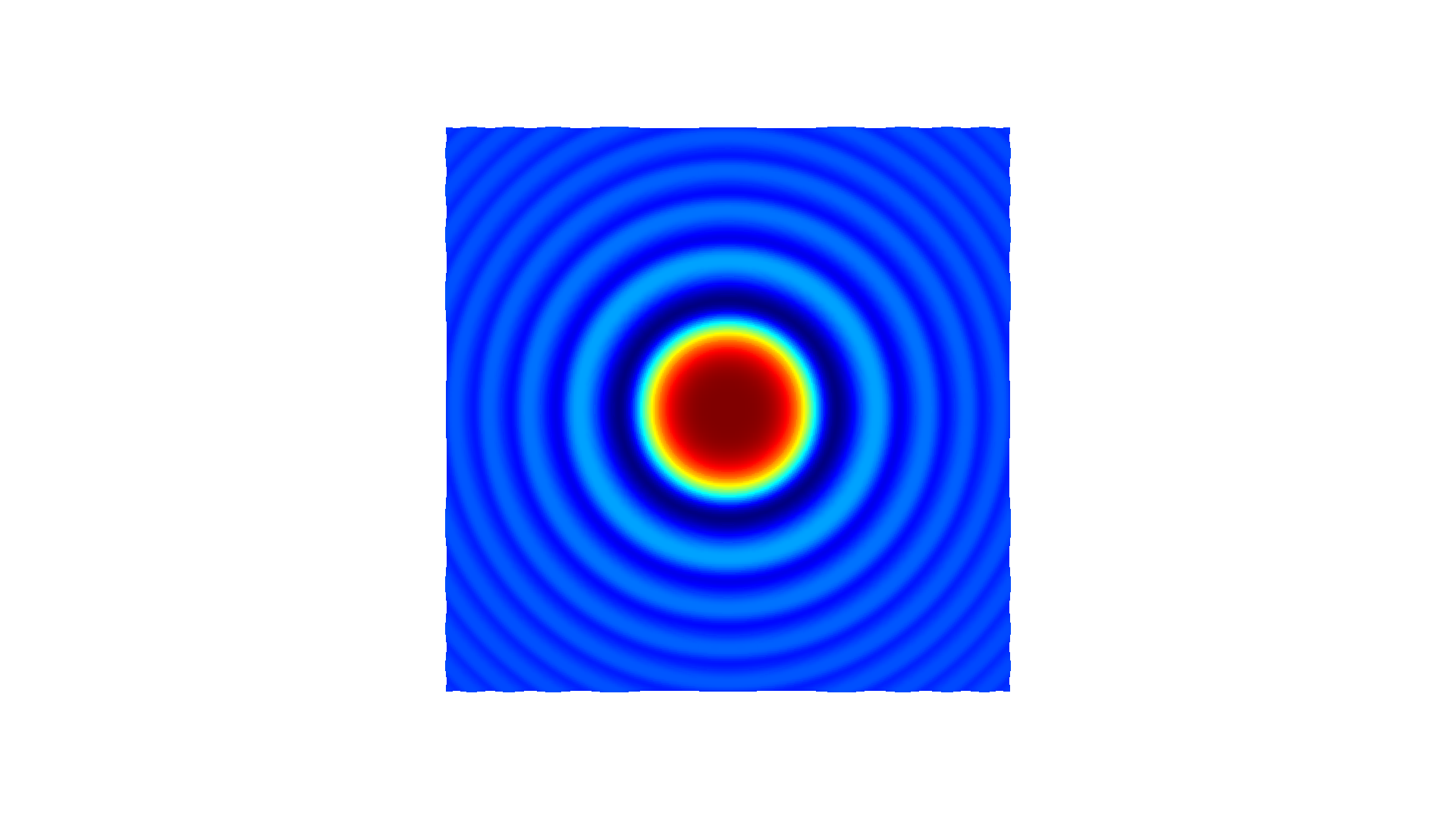
输出:
xyz_load[[-3. -3. 0.17846472] [-2.985 -3. 0.17440115] [-2.97 -3. 0.17063709] ... [ 2.97 3. 0.17063709] [ 2.985 3. 0.17440115] [ 3. 3. 0.17846472]]