
PointCloud(Tensor 点云)
译者注:原教程包含大量渲染的可视化效果图,本译文未包含这些图片。请运行文中的代码以查看相应的可视化结果。
本教程演示 Tensor 点云(o3d.t.geometry.PointCloud)的基本用法。文中的示例代码假设已导入以下模块:
import open3d as o3dimport open3d.core as o3cimport numpy as npimport matplotlib.pyplot as pltimport copyimport osimport sys
# Only needed for tutorial, monkey patches visualizationsys.path.append("..")import open3d_tutorial as o3dtut# Change to True if you want to interact with the visualization windowso3dtut.interactive = not "CI" in os.environ本教程的第一部分展示如何构造一个点云。
# Create a empty point cloud on CPU.pcd = o3d.t.geometry.PointCloud()print(pcd, "\n")
# To create a point cloud on CUDA, specify the device.# pcd = o3d.t.geometry.PointCloud(o3c.Tensor([[0, 0, 0], [1, 1, 1]], o3c.float32,#                                            o3c.Device("cuda:0")))
# Create a point cloud from open3d tensor with dtype of float32.pcd = o3d.t.geometry.PointCloud(o3c.Tensor([[0, 0, 0], [1, 1, 1]], o3c.float32))print(pcd, "\n")
# Create a point cloud from open3d tensor with dtype of float64.pcd = o3d.t.geometry.PointCloud(o3c.Tensor([[0, 0, 0], [1, 1, 1]], o3c.float64))print(pcd, "\n")
# Create a point cloud from numpy array. The array will be copied.pcd = o3d.t.geometry.PointCloud(    np.array([[0, 0, 0], [1, 1, 1]], dtype=np.float32))print(pcd, "\n")
# Create a point cloud from python list.pcd = o3d.t.geometry.PointCloud([[0., 0., 0.], [1., 1., 1.]])print(pcd, "\n")
# Error creation. The point cloud must have shape of (N, 3).try:    pcd = o3d.t.geometry.PointCloud(o3c.Tensor([0, 0, 0, 0], o3c.float32))except:    print(f"Error creation. The point cloud must have shape of (N, 3).")
PointCloud on CPU:0 [0 points].Attributes: None.
PointCloud on CPU:0 [2 points (Float32)].Attributes: None.
PointCloud on CPU:0 [2 points (Float64)].Attributes: None.
PointCloud on CPU:0 [2 points (Float32)].Attributes: None.
PointCloud on CPU:0 [2 points (Float64)].Attributes: None.
Error creation. The point cloud must have shape of (N, 3).点云可以在 CPU 和 GPU 上创建,并且支持不同的数据类型。点云的设备将与输入张量(tensor)的设备保持一致。此外,还可以通过包含多个属性的 Python 字典(dict)来创建点云。
map_to_tensors = {}
# - The "positions" attribute must be specified.# - Common attributes include "colors" and "normals".# - You may also use custom attributes, such as "labels".# - The value of an attribute could be of any shape and dtype. Its correctness#   will only be checked when the attribute is used by some algorithms.map_to_tensors["positions"] = o3c.Tensor([[0, 0, 0], [1, 1, 1]], o3c.float32)map_to_tensors["normals"] = o3c.Tensor([[0, 0, 1], [0, 0, 1]], o3c.float32)map_to_tensors["labels"] = o3c.Tensor([0, 1], o3c.int64)
pcd = o3d.t.geometry.PointCloud(map_to_tensors)print(pcd)
PointCloud on CPU:0 [2 points (Float32)].Attributes: normals (dtype = Float32, shape = {2, 3}), labels (dtype = Int64, shape = {2}).点云属性的设置与获取
Section titled “点云属性的设置与获取”pcd = o3d.t.geometry.PointCloud(o3c.Tensor([[0, 0, 0], [1, 1, 1]], o3c.float32))# Set attributes.pcd.point.normals = o3c.Tensor([[0, 0, 1], [0, 0, 1]], o3c.float32)pcd.point.colors = o3c.Tensor([[1, 0, 0], [0, 1, 0]], o3c.float32)pcd.point.labels = o3c.Tensor([0, 1], o3c.int64)print(pcd, "\n")
# Set by numpy array or python list.pcd.point.normals = np.array([[0, 0, 1], [0, 0, 1]], dtype=np.float32)pcd.point.intensity = [0.4, 0.4]print(pcd, "\n")
# Get attributes.posisions = pcd.point.positionsprint("posisions: ")print(posisions, "\n")labels = pcd.point.labelsprint("labels: ")print(labels, "")PointCloud on CPU:0 [2 points (Float32)].Attributes: labels (dtype = Int64, shape = {2}), colors (dtype = Float32, shape = {2, 3}), normals (dtype = Float32, shape = {2, 3}).
PointCloud on CPU:0 [2 points (Float32)].Attributes: labels (dtype = Int64, shape = {2}), colors (dtype = Float32, shape = {2, 3}), normals (dtype = Float32, shape = {2, 3}), intensity (dtype = Float64, shape = {2}).
posisions:[[0 0 0], [1 1 1]]Tensor[shape={2, 3}, stride={12, 4}, Float32, CPU:0, 0x5636eb68b8d0]
labels:[0 1]Tensor[shape={2}, Int64, CPU:0, 0x5636ebcd36c0]Tensor 点云与 legacy 点云的相互转换
Section titled “Tensor 点云与 legacy 点云的相互转换”点云可以与 legacy 的 open3d.geometry.PointCloud 相互转换。
legacy_pcd = pcd.to_legacy()print(legacy_pcd, "\n")
tensor_pcd = o3d.t.geometry.PointCloud.from_legacy(legacy_pcd)print(tensor_pcd, "\n")
# Convert from legacy point cloud with data type of float64.tensor_pcd_f64 = o3d.t.geometry.PointCloud.from_legacy(legacy_pcd, o3c.float64)print(tensor_pcd_f64, "\n")
PointCloud with 2 points.
PointCloud on CPU:0 [2 points (Float32)].Attributes: normals (dtype = Float32, shape = {2, 3}), colors (dtype = Float32, shape = {2, 3}).
PointCloud on CPU:0 [2 points (Float64)].Attributes: normals (dtype = Float64, shape = {2, 3}), colors (dtype = Float64, shape = {2, 3}).print("Load a ply point cloud, print it, and render it")ply_point_cloud = o3d.data.PLYPointCloud()pcd = o3d.t.io.read_point_cloud(ply_point_cloud.path)print(pcd)o3d.visualization.draw_geometries([pcd.to_legacy()], zoom=0.3412, front=[0.4257, -0.2125, -0.8795], lookat=[2.6172, 2.0475, 1.532], up=[-0.0694, -0.9768, 0.2024])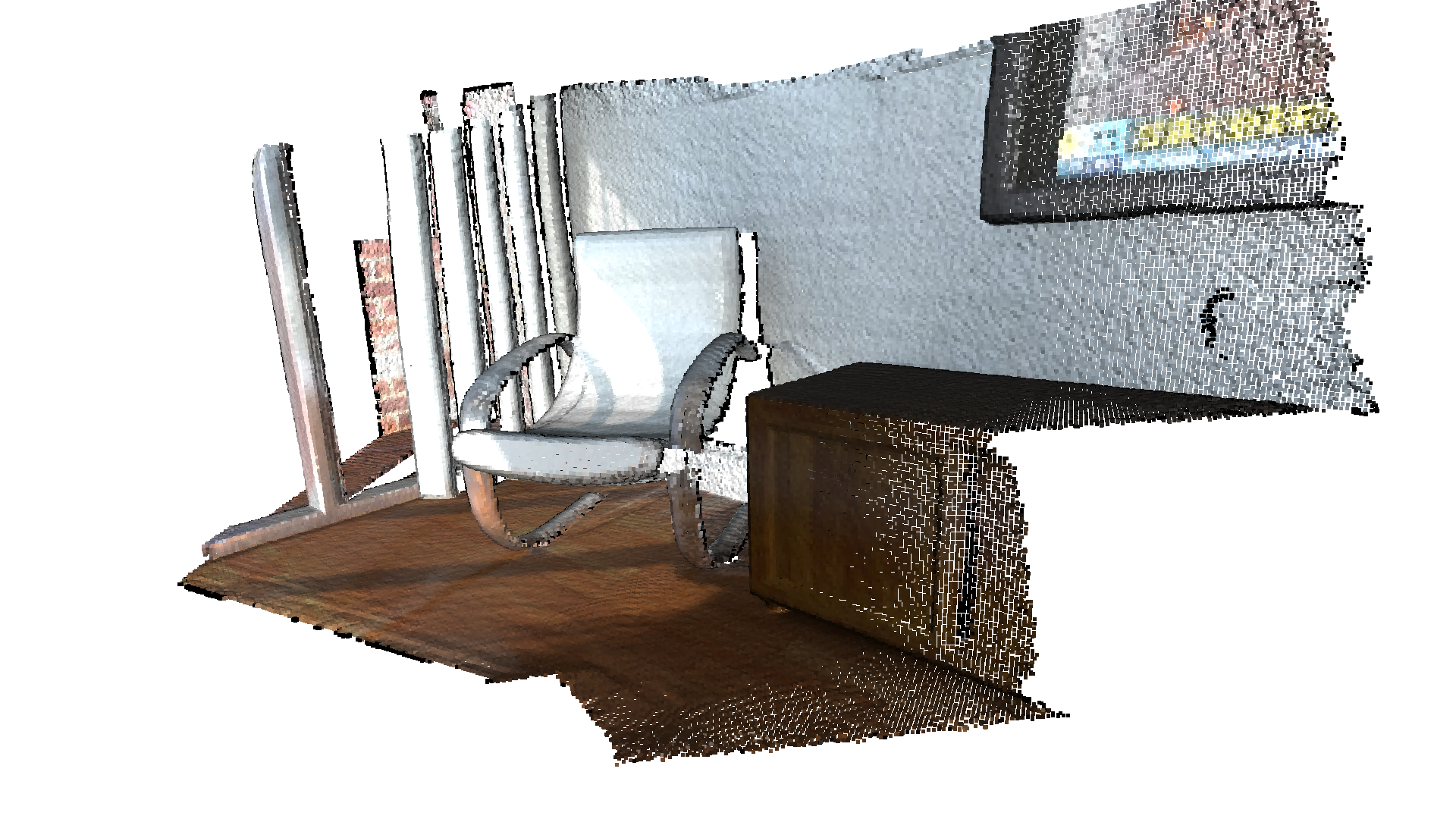
Load a ply point cloud, print it, and render it[Open3D INFO] Downloading https://github.com/isl-org/open3d_downloads/releases/download/20220201-data/fragment.ply[Open3D INFO] Downloaded to /home/runner/open3d_data/download/PLYPointCloud/fragment.plyPointCloud on CPU:0 [196133 points (Float32)].Attributes: curvature (dtype = Float32, shape = {196133, 1}), normals (dtype = Float32, shape = {196133, 3}), colors (dtype = UInt8, shape = {196133, 3}).[Open3D WARNING] GLFW Error: Failed to detect any supported platform[Open3D WARNING] GLFW initialized for headless rendering.read_point_cloud 从文件中读取一个点云。它会根据文件扩展名尝试解码文件。支持的文件类型列表请参见 File IO。
draw_geometries 用于可视化点云。使用鼠标/触控板可以从不同视角查看几何体。
它看起来像是一个密集的表面,但实际上是以 surfel(面元)形式渲染的点云。该 GUI 支持多种键盘功能。例如,- 键可以减小点(surfel)的大小。
本节介绍点云的几种降采样(downsampling)方法。
体素降采样(voxel downsampling)使用一个规则的体素网格(voxel grid),从输入点云中生成一个均匀降采样的点云。它通常作为许多点云处理任务的预处理步骤。该算法分两步执行:
- 将点归入各个体素(voxel)。
- 每个被占据的体素通过对其内部所有点取平均,生成且仅生成一个点。
print("Downsample the point cloud with a voxel of 0.03")downpcd = pcd.voxel_down_sample(voxel_size=0.03)o3d.visualization.draw_geometries([downpcd.to_legacy()], zoom=0.3412, front=[0.4257, -0.2125, -0.8795], lookat=[2.6172, 2.0475, 1.532], up=[-0.0694, -0.9768, 0.2024])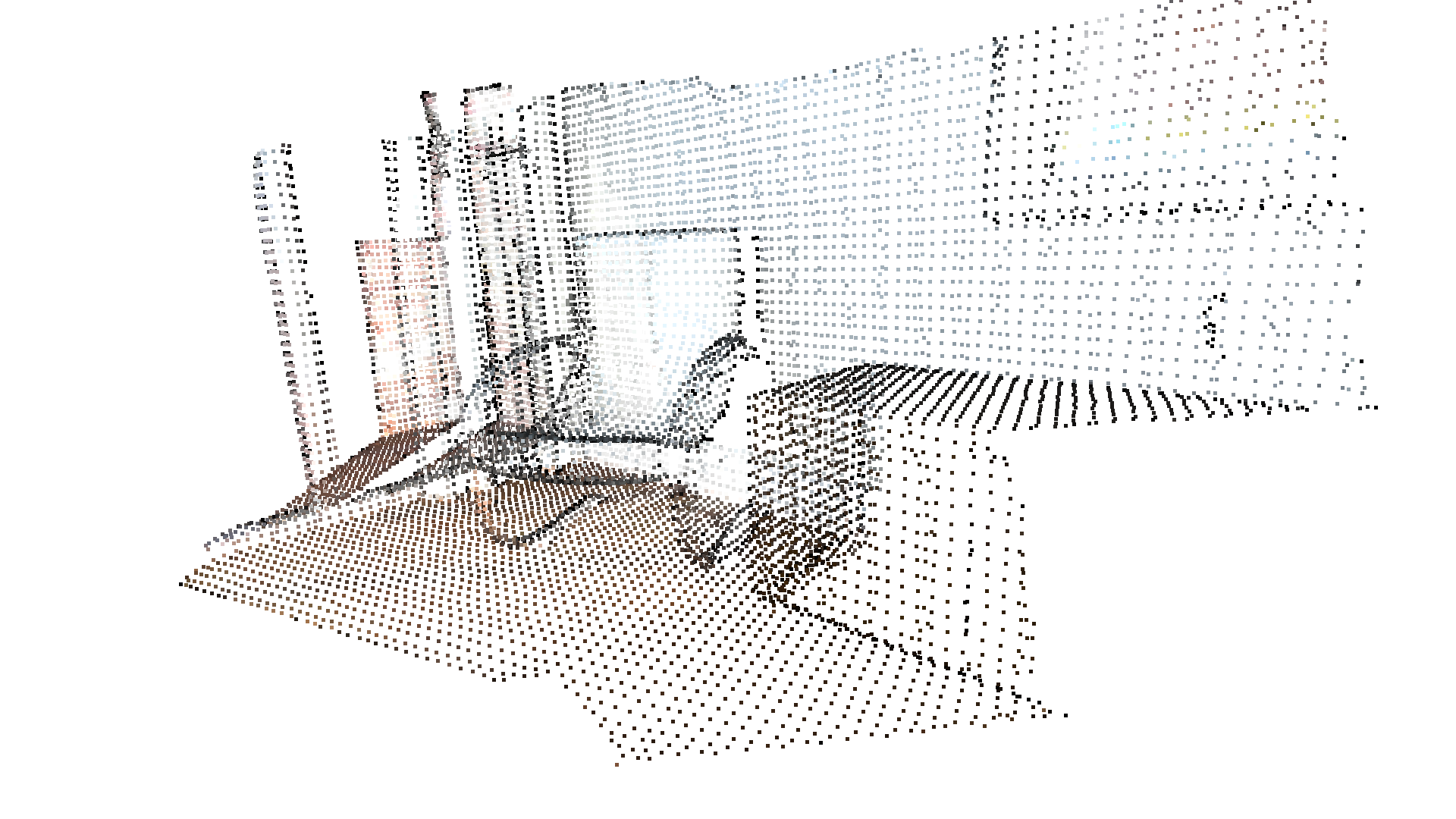
Downsample the point cloud with a voxel of 0.03[Open3D WARNING] GLFW initialized for headless rendering.最远点降采样
Section titled “最远点降采样”最远点采样(farthest point sampling)通过迭代地选取距离当前已选点最远的点来对点云进行采样。它用于将点云采样到固定数量的点,同时尽可能保留原始点云的几何信息。
print("Downsample the point cloud by selecting 5000 farthest points.")downpcd_farthest = pcd.farthest_point_down_sample(5000)o3d.visualization.draw_geometries([downpcd_farthest.to_legacy()], zoom=0.3412, front=[0.4257, -0.2125, -0.8795], lookat=[2.6172, 2.0475, 1.532], up=[-0.0694, -0.9768, 0.2024])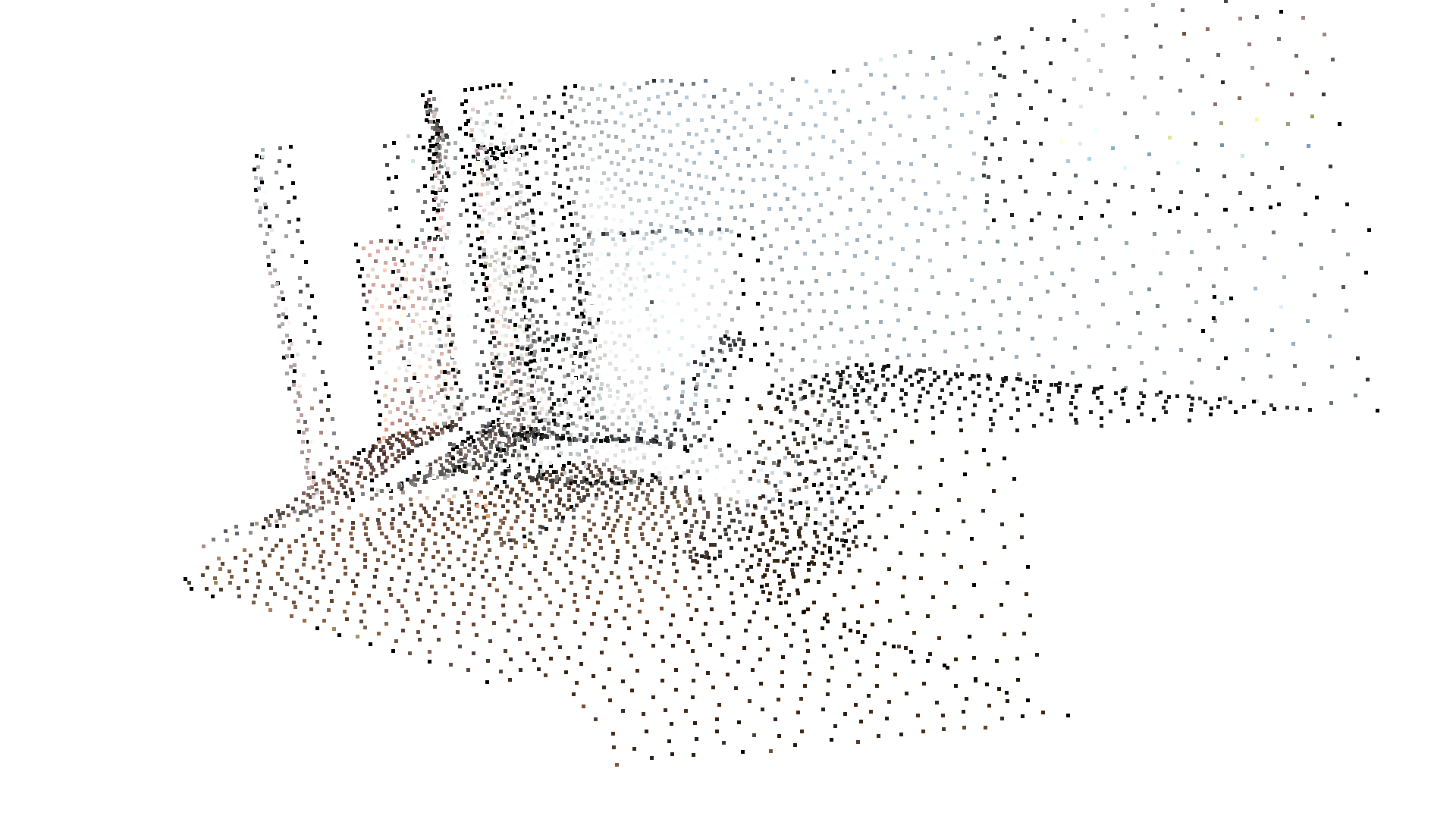
Downsample the point cloud by selecting 5000 farthest points.[Open3D WARNING] GLFW initialized for headless rendering.Open3D 还提供了 uniform_down_sample 和 random_down_sample 用于点云降采样。
顶点法线估计
Section titled “顶点法线估计”点云的另一项基本操作是法线估计。按 N 键可以查看点的法线。- 和 + 键可用于控制法线的长度。
print("Recompute the normal of the downsampled point cloud using hybrid nearest neighbor search with 30 max_nn and radius of 0.1m.")downpcd.estimate_normals(max_nn=30, radius=0.1)o3d.visualization.draw_geometries([downpcd.to_legacy()], zoom=0.3412, front=[0.4257, -0.2125, -0.8795], lookat=[2.6172, 2.0475, 1.532], up=[-0.0694, -0.9768, 0.2024], point_show_normal=True)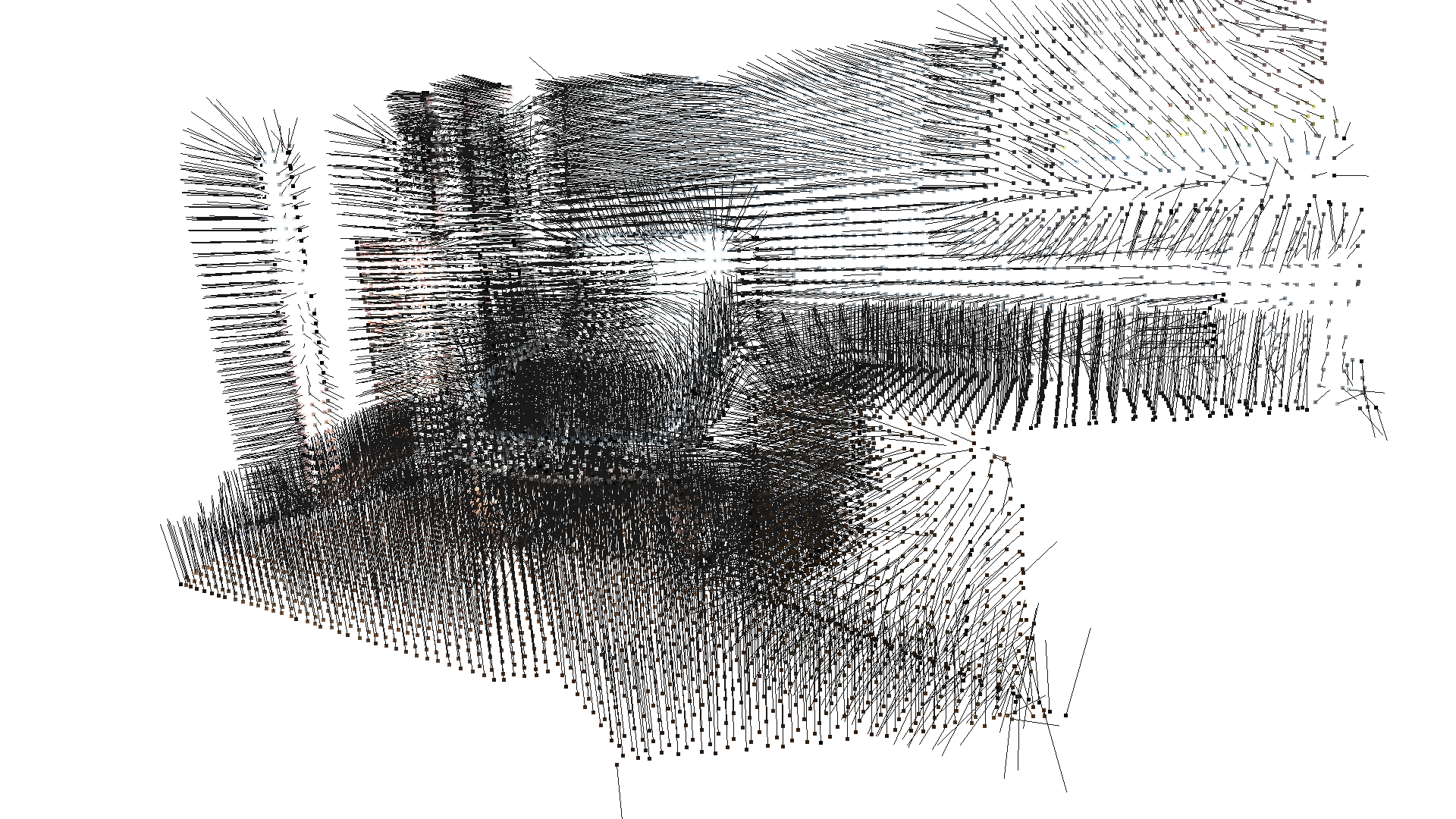
Recompute the normal of the downsampled point cloud using hybrid nearest neighbor search with 30 max_nn and radius of 0.1m.[Open3D WARNING] GLFW initialized for headless rendering.estimate_normals 为每个点计算法线。该函数会查找相邻点,并使用协方差分析(covariance analysis)计算相邻点的主轴。
两个关键参数 radius = 0.1 和 max_nn = 30 分别指定搜索半径和最大最近邻数量。这里使用 10cm 的搜索半径,并且最多只考虑 30 个邻居以节省计算时间。如果只指定 max_nn 或 radius 中的一个(downpcd.estimate_normals(30, None) 或 downpcd.estimate_normals(None, 0.01)),函数将分别使用 KNN 搜索或半径搜索。
访问估计的法线
Section titled “访问估计的法线”估计得到的法线可以被访问,并转换为 numpy 数组。
normals = downpcd.point.normalsprint("Print first 5 normals of the downsampled point cloud.")print(normals[:5], "\n")print("Convert normals tensor into numpy array.")normals_np = normals.numpy()print(normals_np[:5])Print first 5 normals of the downsampled point cloud.[[-0.48448014 0.16192137 -0.85968626], [-0.4547148 0.17396295 -0.8734824], [-0.42535082 0.12960345 -0.8957007], [-0.4281835 0.124074414 -0.89513385], [-0.51735884 0.2142542 -0.8285136]]Tensor[shape={5, 3}, stride={12, 4}, Float32, CPU:0, 0x5636edc2aa90]
Convert normals tensor into numpy array.[[-0.48448014 0.16192137 -0.85968626] [-0.4547148 0.17396295 -0.8734824 ] [-0.42535082 0.12960345 -0.8957007 ] [-0.4281835 0.12407441 -0.89513385] [-0.51735884 0.2142542 -0.8285136 ]]print("Load a polygon volume and use it to crop the original point cloud")demo_crop_data = o3d.data.DemoCropPointCloud()pcd = o3d.t.io.read_point_cloud(demo_crop_data.point_cloud_path)vol = o3d.visualization.read_selection_polygon_volume(demo_crop_data.cropped_json_path)chair = vol.crop_point_cloud(pcd.to_legacy())o3d.visualization.draw_geometries([chair], zoom=0.7, front=[0.5439, -0.2333, -0.8060], lookat=[2.4615, 2.1331, 1.338], up=[-0.1781, -0.9708, 0.1608])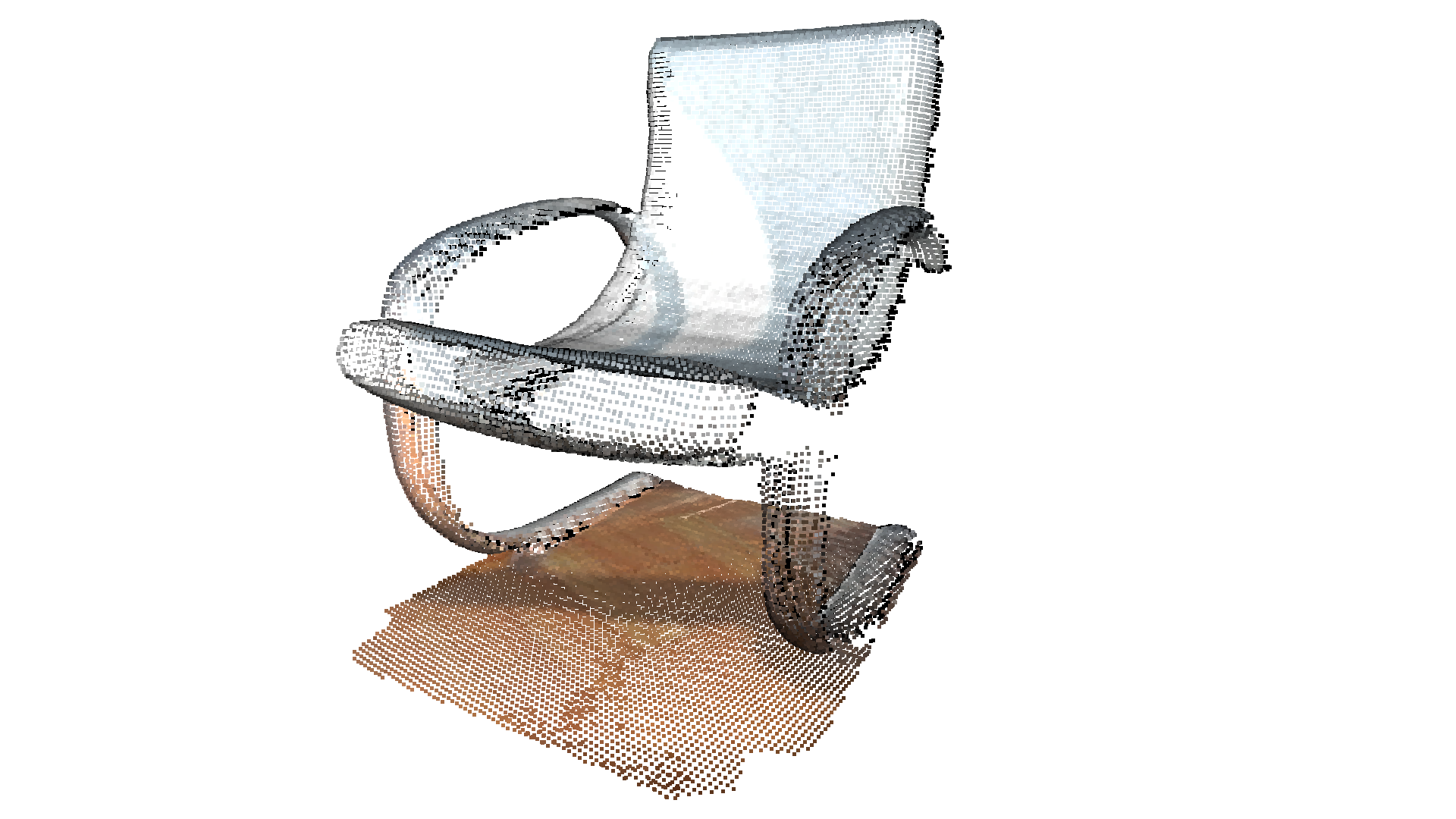
Load a polygon volume and use it to crop the original point cloud[Open3D INFO] Downloading https://github.com/isl-org/open3d_downloads/releases/download/20220201-data/DemoCropPointCloud.zip[Open3D INFO] Downloaded to /home/runner/open3d_data/download/DemoCropPointCloud/DemoCropPointCloud.zip[Open3D INFO] Created directory /home/runner/open3d_data/extract/DemoCropPointCloud.[Open3D INFO] Extracting /home/runner/open3d_data/download/DemoCropPointCloud/DemoCropPointCloud.zip.[Open3D INFO] Extracted to /home/runner/open3d_data/extract/DemoCropPointCloud.[Open3D WARNING] GLFW initialized for headless rendering.read_selection_polygon_volume 读取一个指定多边形选择区域的 json 文件。vol.crop_point_cloud(pcd) 过滤掉若干点,只保留椅子部分。我们还可以使用 crop_in_polygon 获取点云被裁剪后的索引。
indices = vol.crop_in_polygon(pcd.to_legacy())print(f"Cropped indices length: {len(indices)}")Cropped indices length: 31337print("Paint point cloud.")pcd.paint_uniform_color([1, 0.706, 0])o3d.visualization.draw_geometries([pcd.to_legacy()], zoom=0.7, front=[0.5439, -0.2333, -0.8060], lookat=[2.4615, 2.1331, 1.338], up=[-0.1781, -0.9708, 0.1608])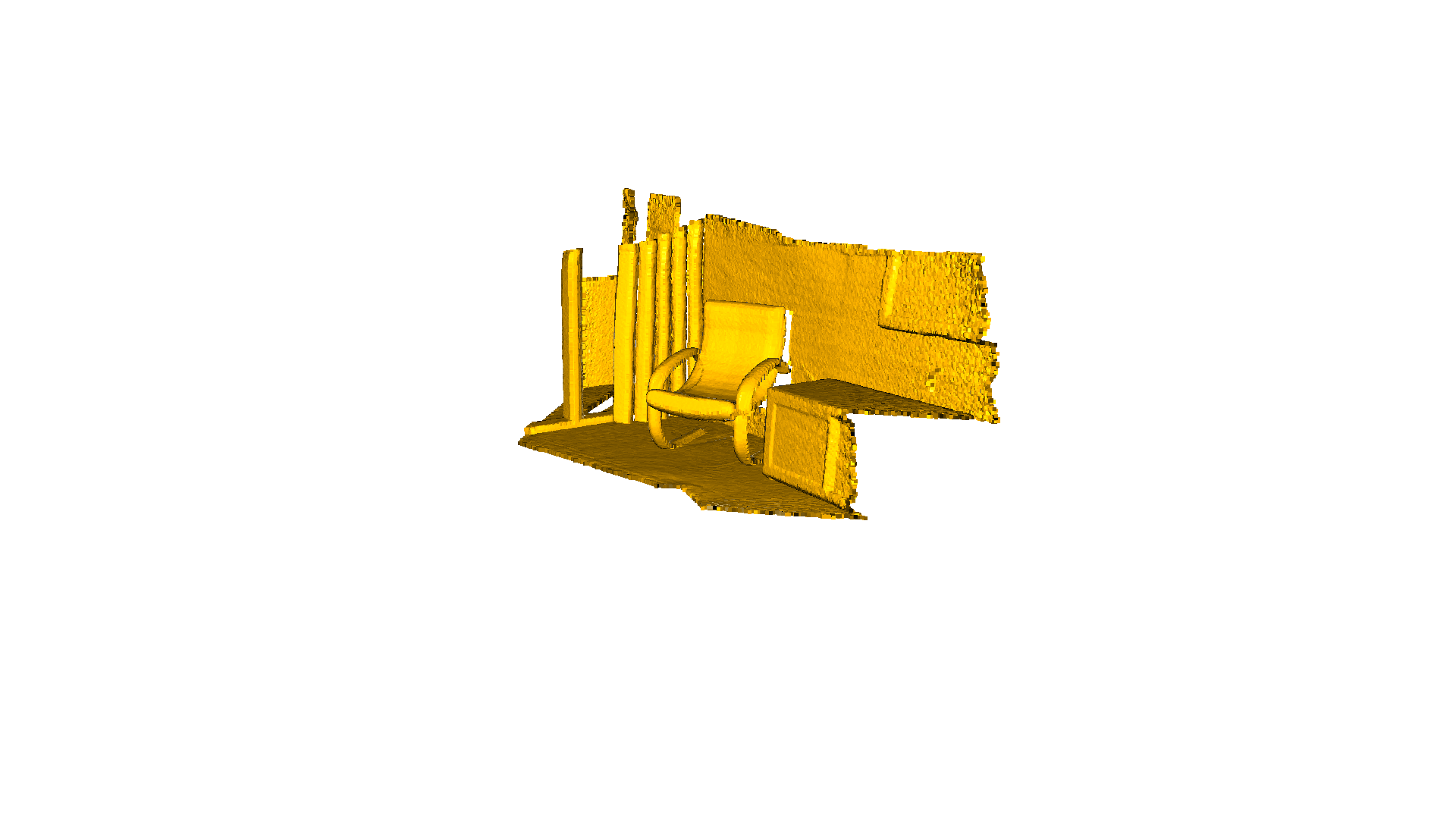
Paint point cloud.[Open3D WARNING] GLFW initialized for headless rendering.paint_uniform_color 将所有点涂成统一颜色。颜色在 RGB 空间中表示,取值范围为 [0, 1]。
与其他所有几何体类型一样,PointCloud 几何体类型也具有包围盒(bounding volume)。目前,Open3D 实现了 AxisAlignedBoundingBox(轴对齐包围盒)和 OrientedBoundingBox(有向包围盒),它们也可用于裁剪几何体。
aabb = pcd.get_axis_aligned_bounding_box()aabb.set_color(o3c.Tensor([1, 0, 0], o3c.float32))obb = pcd.get_oriented_bounding_box()obb.set_color(o3c.Tensor([0, 1, 0], o3c.float32))o3d.visualization.draw_geometries( [pcd.to_legacy(), aabb.to_legacy(), obb.to_legacy()], zoom=0.7, front=[0.5439, -0.2333, -0.8060], lookat=[2.4615, 2.1331, 1.338], up=[-0.1781, -0.9708, 0.1608])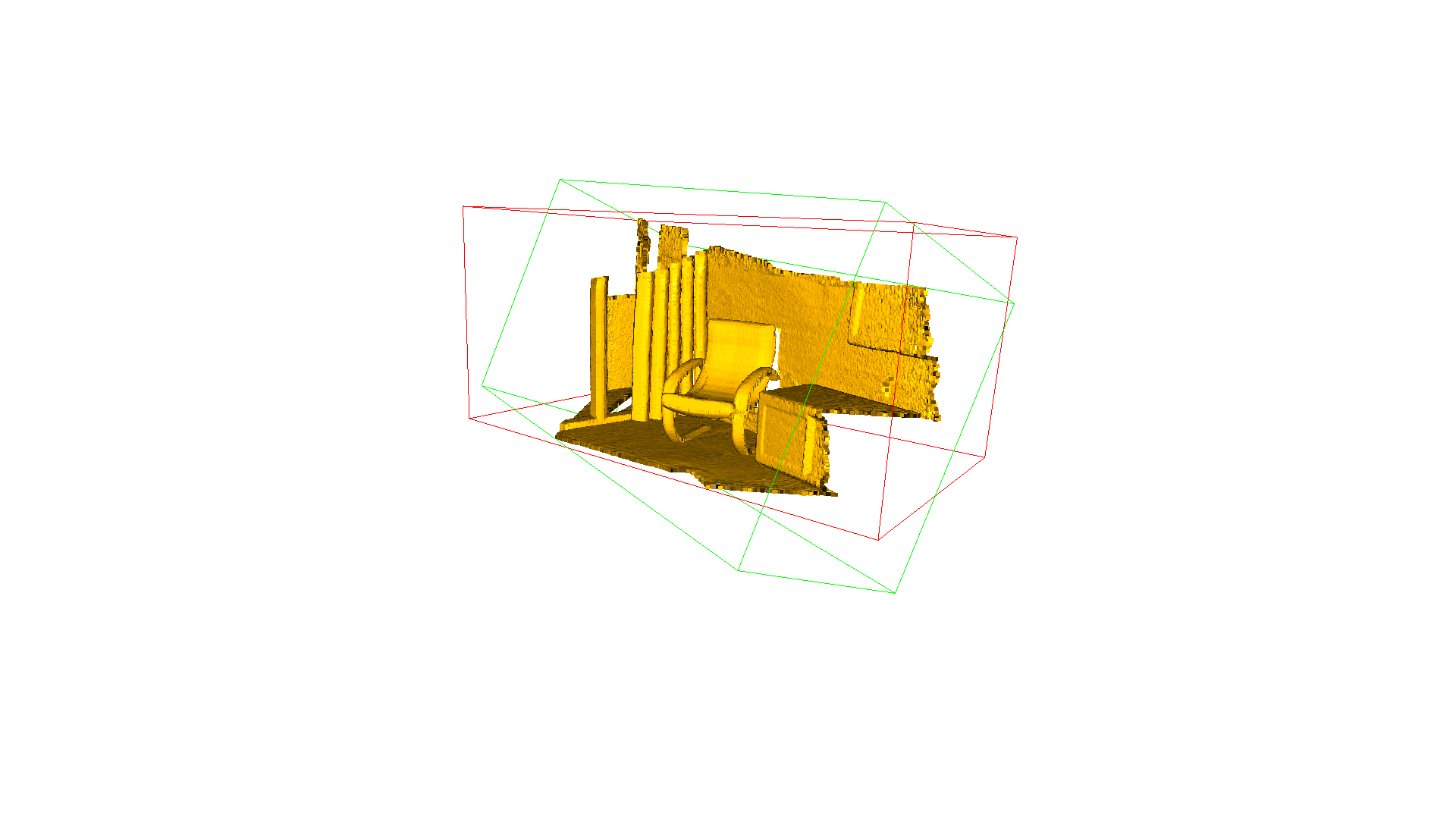
[Open3D WARNING] GLFW initialized for headless rendering.点云离群点去除
Section titled “点云离群点去除”从扫描设备采集数据时,得到的点云往往会包含噪声和伪影,而我们通常希望将其去除。下面的示例演示了 Open3D 的离群点去除(outlier removal)功能。
准备输入数据
Section titled “准备输入数据”加载一个点云,并使用 voxel_down_sample 进行降采样。
print("Load a ply point cloud, print it, and render it")sample_pcd_data = o3d.data.PCDPointCloud()pcd = o3d.t.io.read_point_cloud(sample_pcd_data.path)o3d.visualization.draw_geometries([pcd.to_legacy()],                                  zoom=0.3412,                                  front=[0.4257, -0.2125, -0.8795],                                  lookat=[2.6172, 2.0475, 1.532],                                  up=[-0.0694, -0.9768, 0.2024])
print("Downsample the point cloud with a voxel of 0.02")voxel_down_pcd = pcd.voxel_down_sample(voxel_size=0.02)o3d.visualization.draw_geometries([voxel_down_pcd.to_legacy()],                                  zoom=0.3412,                                  front=[0.4257, -0.2125, -0.8795],                                  lookat=[2.6172, 2.0475, 1.532],                                  up=[-0.0694, -0.9768, 0.2024])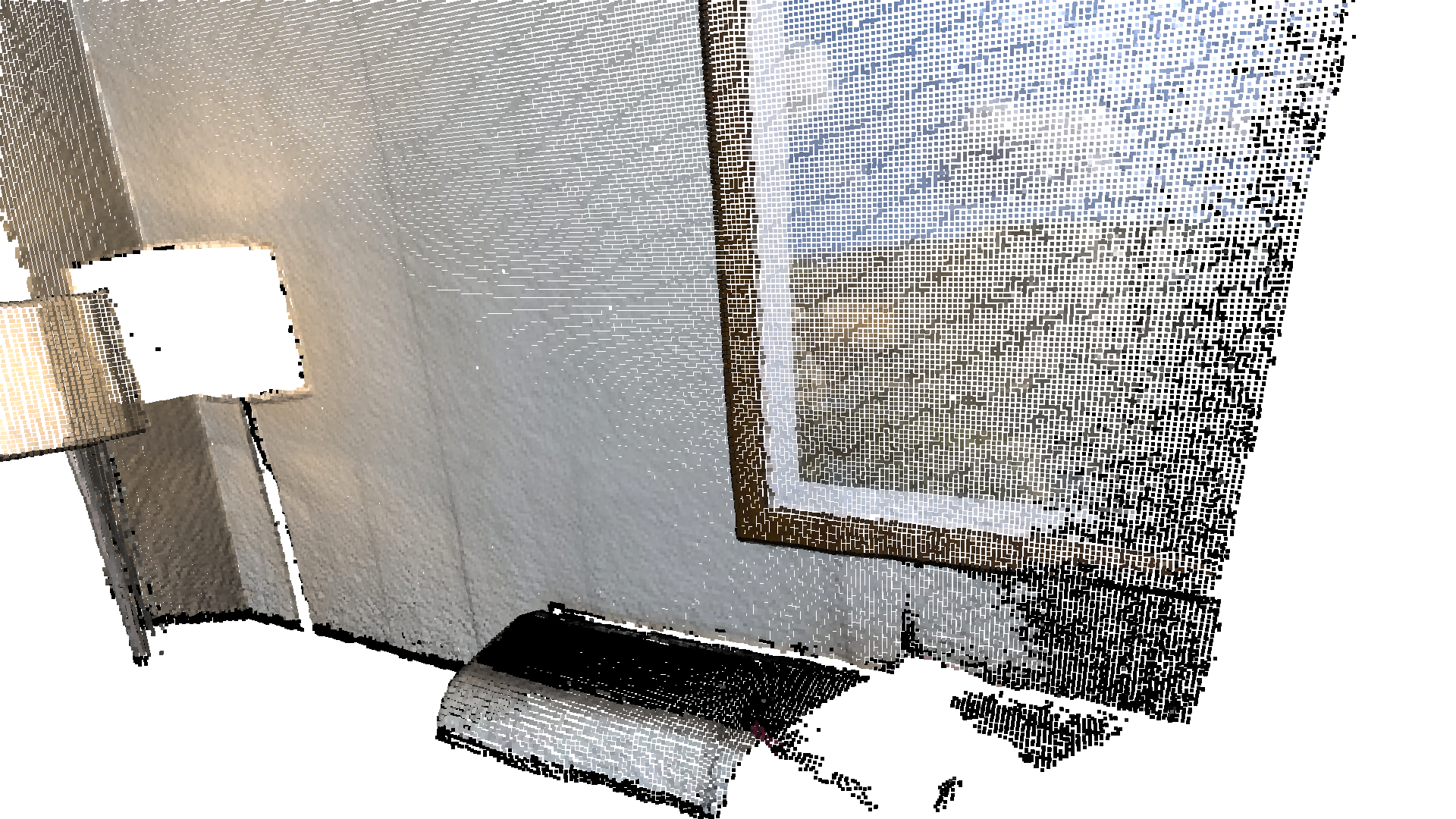
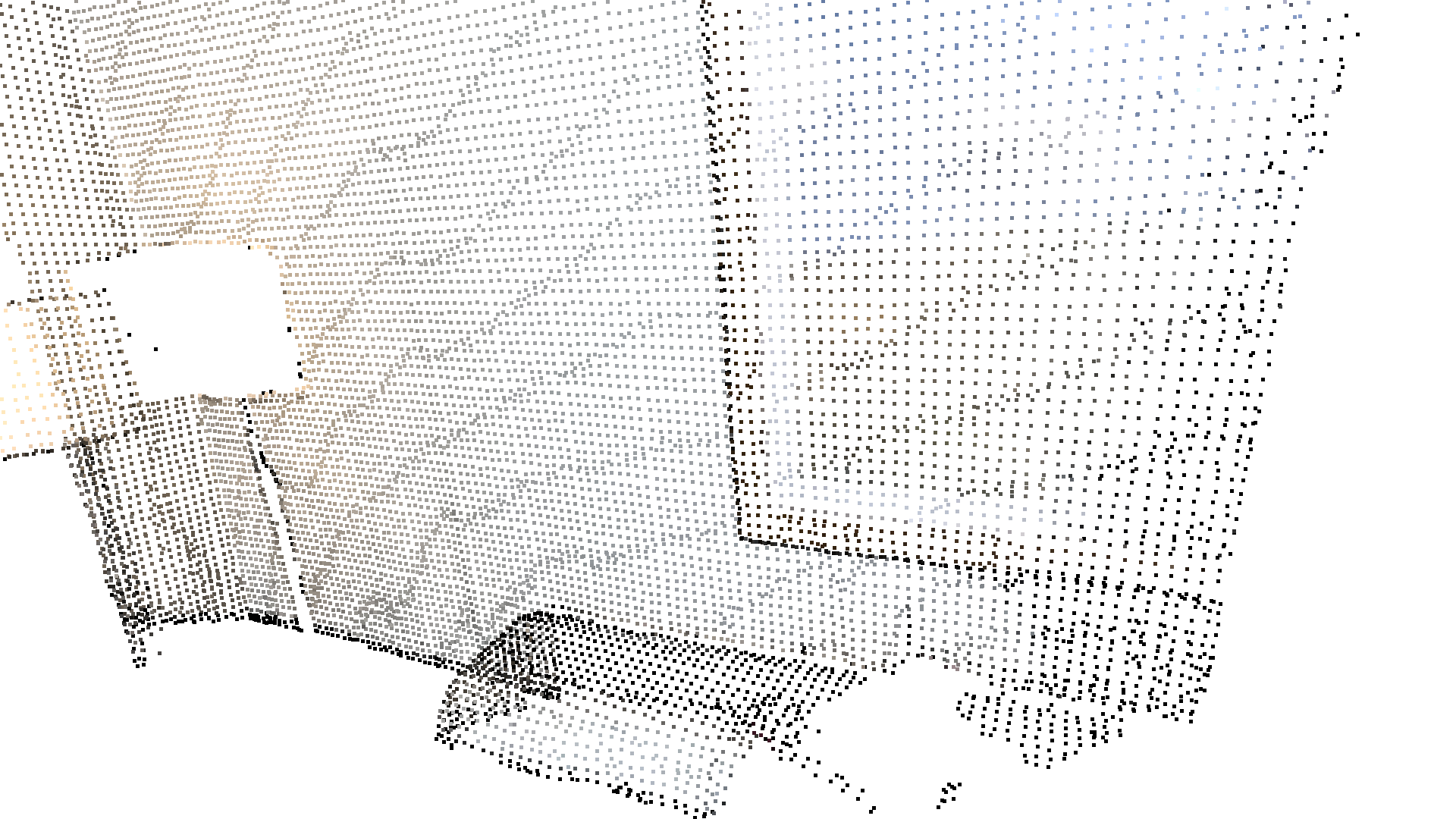
Load a ply point cloud, print it, and render it[Open3D INFO] Downloading https://github.com/isl-org/open3d_downloads/releases/download/20220201-data/fragment.pcd[Open3D INFO] Downloaded to /home/runner/open3d_data/download/PCDPointCloud/fragment.pcd[Open3D WARNING] GLFW initialized for headless rendering.
Downsample the point cloud with a voxel of 0.02[Open3D WARNING] GLFW initialized for headless rendering.
或者,使用 uniform_down_sample 通过每隔 n 个点采集一个点的方式对点云进行降采样。
print("Every 5th points are selected")uni_down_pcd = pcd.uniform_down_sample(every_k_points=5)o3d.visualization.draw_geometries([uni_down_pcd.to_legacy()], zoom=0.3412, front=[0.4257, -0.2125, -0.8795], lookat=[2.6172, 2.0475, 1.532], up=[-0.0694, -0.9768, 0.2024])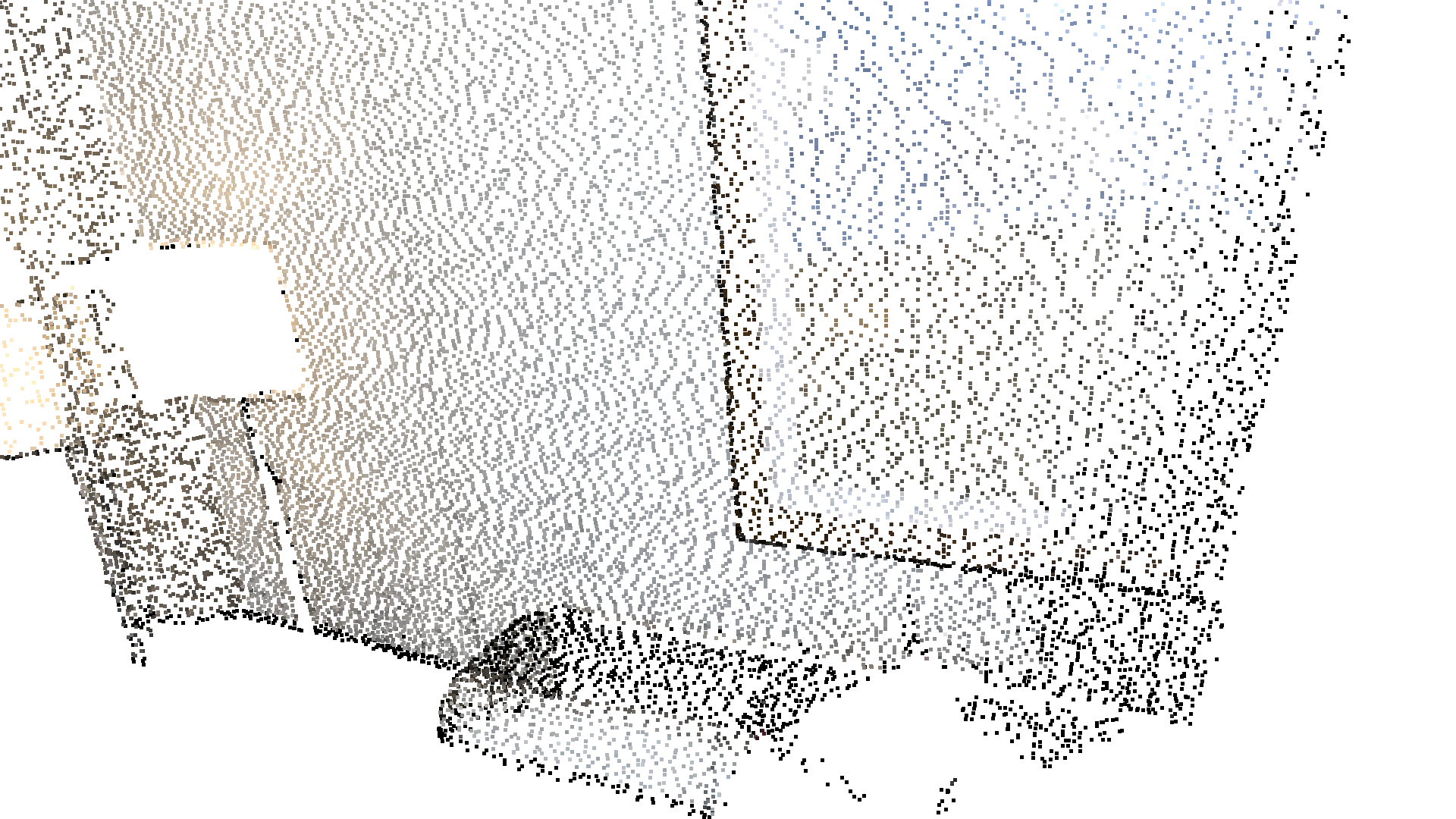
Every 5th points are selected[Open3D WARNING] GLFW initialized for headless rendering.下面的辅助函数使用 select_by_mask,它接受一个二值掩码(binary mask),仅输出被选中的点。被选中的点和未被选中的点都会被可视化。
def display_inlier_outlier(cloud : o3d.t.geometry.PointCloud, mask : o3c.Tensor):    inlier_cloud = cloud.select_by_mask(mask)    outlier_cloud = cloud.select_by_mask(mask, invert=True)
    print("Showing outliers (red) and inliers (gray): ")    outlier_cloud = outlier_cloud.paint_uniform_color([1.0, 0, 0])    inlier_cloud.paint_uniform_color([0.8, 0.8, 0.8])    inlier_cloud = o3d.visualization.draw_geometries([inlier_cloud.to_legacy(), outlier_cloud.to_legacy()],                                      zoom=0.3412,                                      front=[0.4257, -0.2125, -0.8795],                                      lookat=[2.6172, 2.0475, 1.532],                                      up=[-0.0694, -0.9768, 0.2024])
统计离群点去除
Section titled “统计离群点去除”statistical_outlier_removal 会移除那些与其邻居的平均距离大于整个点云平均水平的点。它接受两个输入参数:
nb_neighbors,指定在计算给定点的平均距离时考虑多少个邻居。std_ratio,允许基于整个点云平均距离的标准差来设定阈值水平。该数值越小,滤波就越激进。
print("Statistical oulier removal")cl, ind = voxel_down_pcd.remove_statistical_outliers(nb_neighbors=20, std_ratio=2.0)display_inlier_outlier(voxel_down_pcd, ind)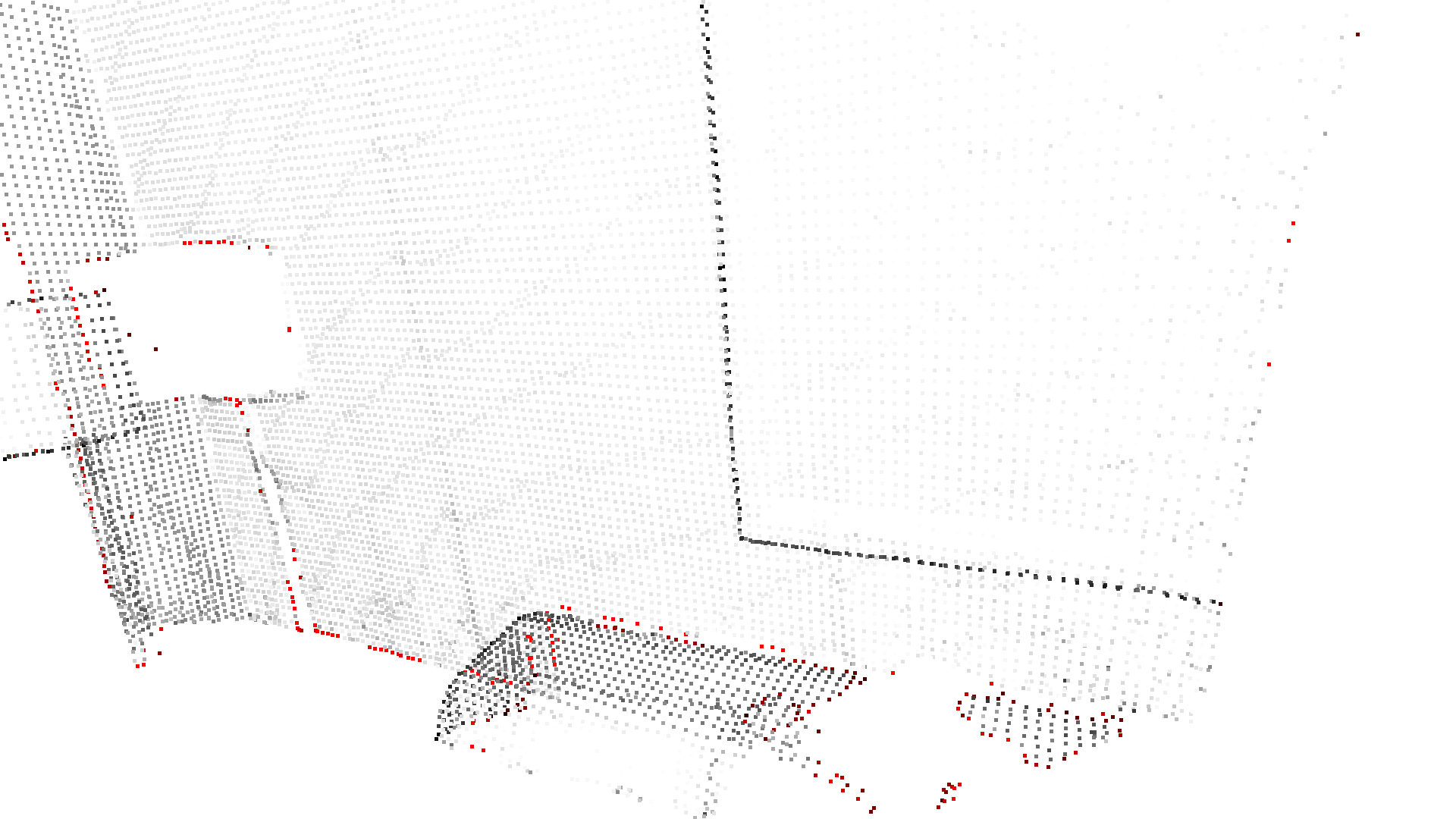
Statistical oulier removalShowing outliers (red) and inliers (gray):[Open3D WARNING] GLFW initialized for headless rendering.半径离群点去除
Section titled “半径离群点去除”radius_outlier_removal 会移除在给定球体范围内邻居很少的点。可以使用两个参数针对你的数据调整该滤波器:
nb_points,用于选取球体内应包含的最少点数。radius,定义用于统计邻居的球体半径。
print("Radius oulier removal")cl, ind = voxel_down_pcd.remove_radius_outliers(nb_points=16, search_radius=0.05)display_inlier_outlier(voxel_down_pcd, ind)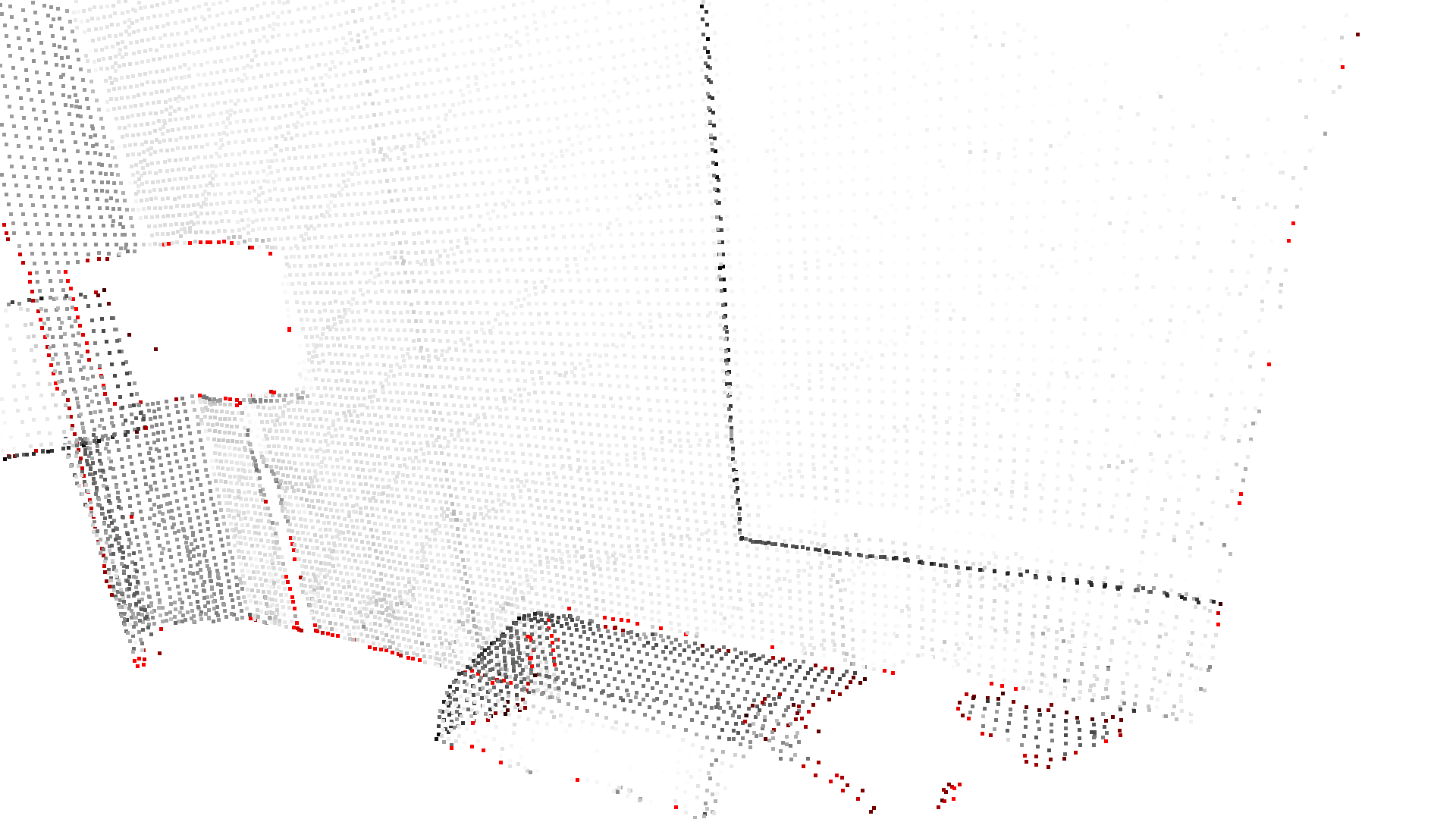
Radius oulier removalShowing outliers (red) and inliers (gray):[Open3D WARNING] GLFW initialized for headless rendering.点云的凸包(convex hull)是包含所有点的最小凸集。Open3D 提供了 compute_convex_hull 方法来计算点云的凸包。其实现基于 Qhull。
在下面的示例代码中,我们计算凸包,并将其作为三角网格(triangle mesh)返回。然后,我们将凸包可视化为一个红色的 LineSet。
bunny = o3d.data.BunnyMesh()pcd = o3d.t.io.read_point_cloud(bunny.path)
hull = pcd.compute_convex_hull()hull_ls = o3d.geometry.LineSet.create_from_triangle_mesh(hull.to_legacy())hull_ls.paint_uniform_color((1, 0, 0))o3d.visualization.draw_geometries([pcd.to_legacy(), hull_ls])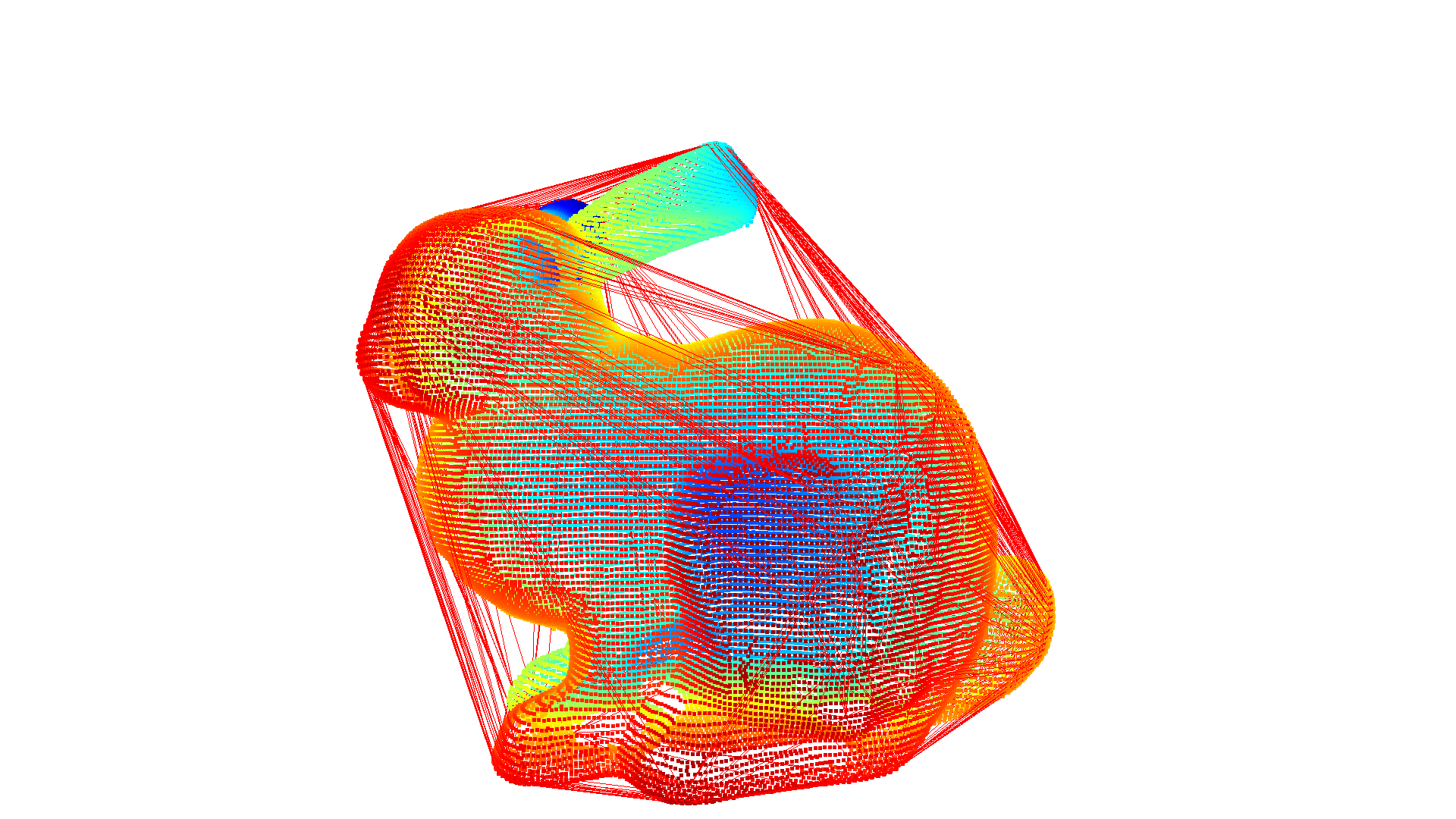
[Open3D INFO] Downloading https://github.com/isl-org/open3d_downloads/releases/download/20220201-data/BunnyMesh.ply[Open3D INFO] Downloaded to /home/runner/open3d_data/download/BunnyMesh/BunnyMesh.ply[Open3D WARNING] GLFW initialized for headless rendering.DBSCAN 聚类
Section titled “DBSCAN 聚类”假设我们有一个来自深度传感器的点云,我们希望将局部的点云聚类归为一组。为此,我们可以使用聚类算法。Open3D 实现了 DBSCAN——一种基于密度的聚类算法。该算法实现在 cluster_dbscan 中,需要两个参数:eps 定义聚类中到邻居的距离,min_points 定义构成一个聚类所需的最少点数。该函数返回标签(labels),其中标签 -1 表示噪声。
ply_point_cloud = o3d.data.PLYPointCloud()pcd = o3d.t.io.read_point_cloud(ply_point_cloud.path)
with o3d.utility.VerbosityContextManager(        o3d.utility.VerbosityLevel.Debug) as cm:    labels = pcd.cluster_dbscan(eps=0.02, min_points=10, print_progress=True)
max_label = labels.max().item()print(f"point cloud has {max_label+1} clusters")colors = plt.get_cmap("tab20")(        labels.numpy() / (max_label if max_label > 0 else 1))colors = o3c.Tensor(colors[:, :3], o3c.float32)colors[labels < 0] = 0pcd.point.colors = colorso3d.visualization.draw_geometries([pcd.to_legacy()],                                  zoom=0.455,                                  front=[-0.4999, -0.1659, -0.8499],                                  lookat=[2.1813, 2.0619, 2.0999],                                  up=[0.1204, -0.9852, 0.1215])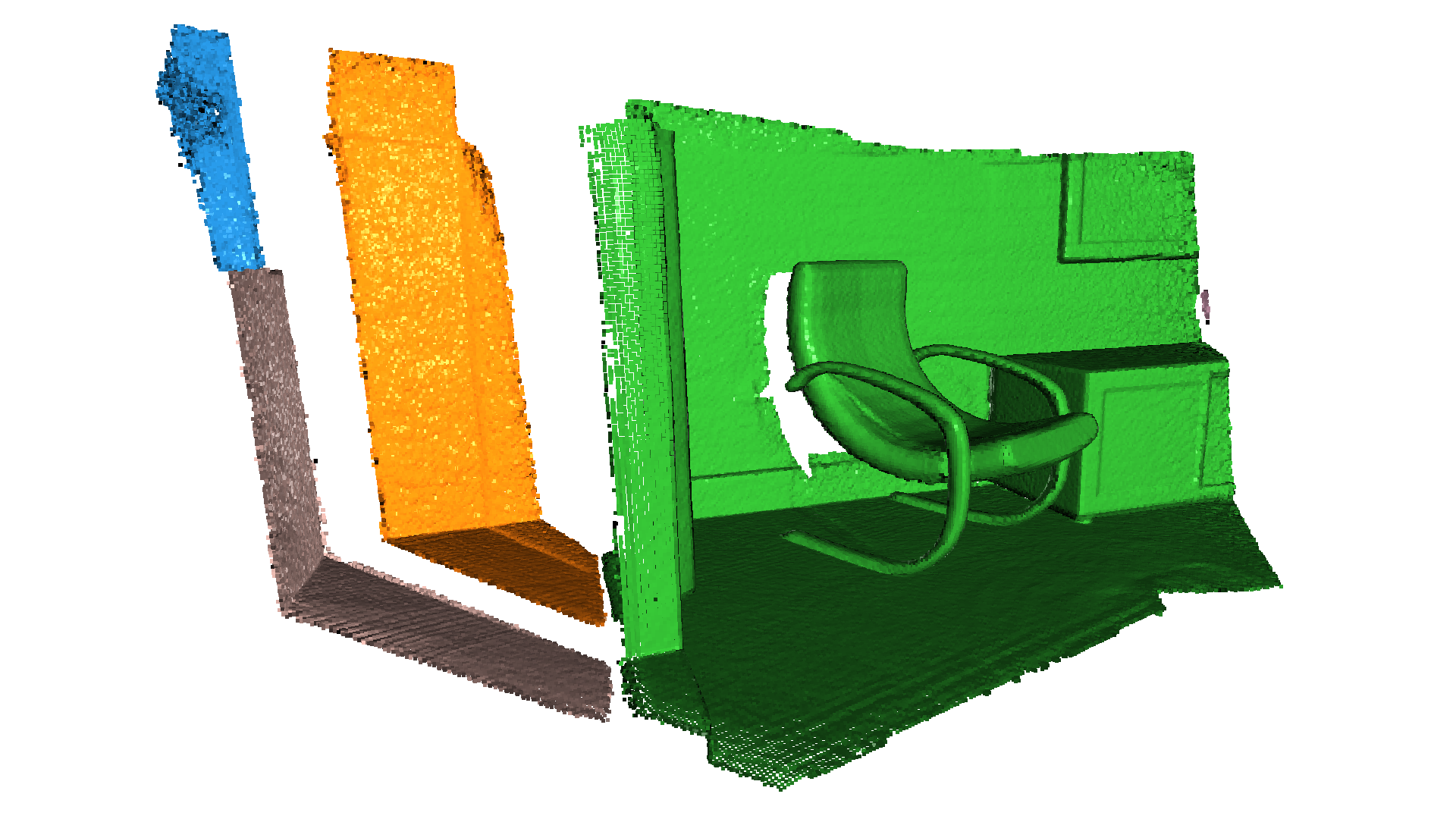
[Open3D DEBUG] Precompute neighbors.Precompute neighbors.[========================================] 100%[Open3D DEBUG] Done Precompute neighbors.[Open3D DEBUG] Compute ClustersClustering[========================================] 100%[Open3D DEBUG] Done Compute Clusters: 10point cloud has 10 clusters[Open3D WARNING] GLFW initialized for headless rendering.Open3D 还支持使用 RANSAC 从点云中分割几何基元(geometric primitives)。要找到点云中支持度最高的平面,可以使用 segment_plane。该方法有四个参数:distance_threshold 定义一个点被视为内点(inlier)时与估计平面的最大距离;ransac_n 定义为估计平面而随机采样的点数;num_iterations 定义随机平面被采样和验证的次数;probability 定义找到最优平面的期望概率。该函数随后将平面返回为 ((a,b,c,d)),使得对于平面上的每个点 ((x,y,z)) 都满足 (ax + by + cz + d = 0)。此外,该函数还会返回内点的索引。
sample_pcd_data = o3d.data.PCDPointCloud()pcd = o3d.t.io.read_point_cloud(sample_pcd_data.path)plane_model, inliers = pcd.segment_plane(distance_threshold=0.01,                                            ransac_n=3,                                            num_iterations=1000,                                            probability=0.9999)[a, b, c, d] = plane_model.numpy().tolist()print(f"Plane equation: {a:.2f}x + {b:.2f}y + {c:.2f}z + {d:.2f} = 0")
inlier_cloud = pcd.select_by_index(inliers)inlier_cloud = inlier_cloud.paint_uniform_color([1.0, 0, 0])outlier_cloud = pcd.select_by_index(inliers, invert=True)o3d.visualization.draw_geometries([inlier_cloud.to_legacy(), outlier_cloud.to_legacy()],                                  zoom=0.8,                                  front=[-0.4999, -0.1659, -0.8499],                                  lookat=[2.1813, 2.0619, 2.0999],                                  up=[0.1204, -0.9852, 0.1215])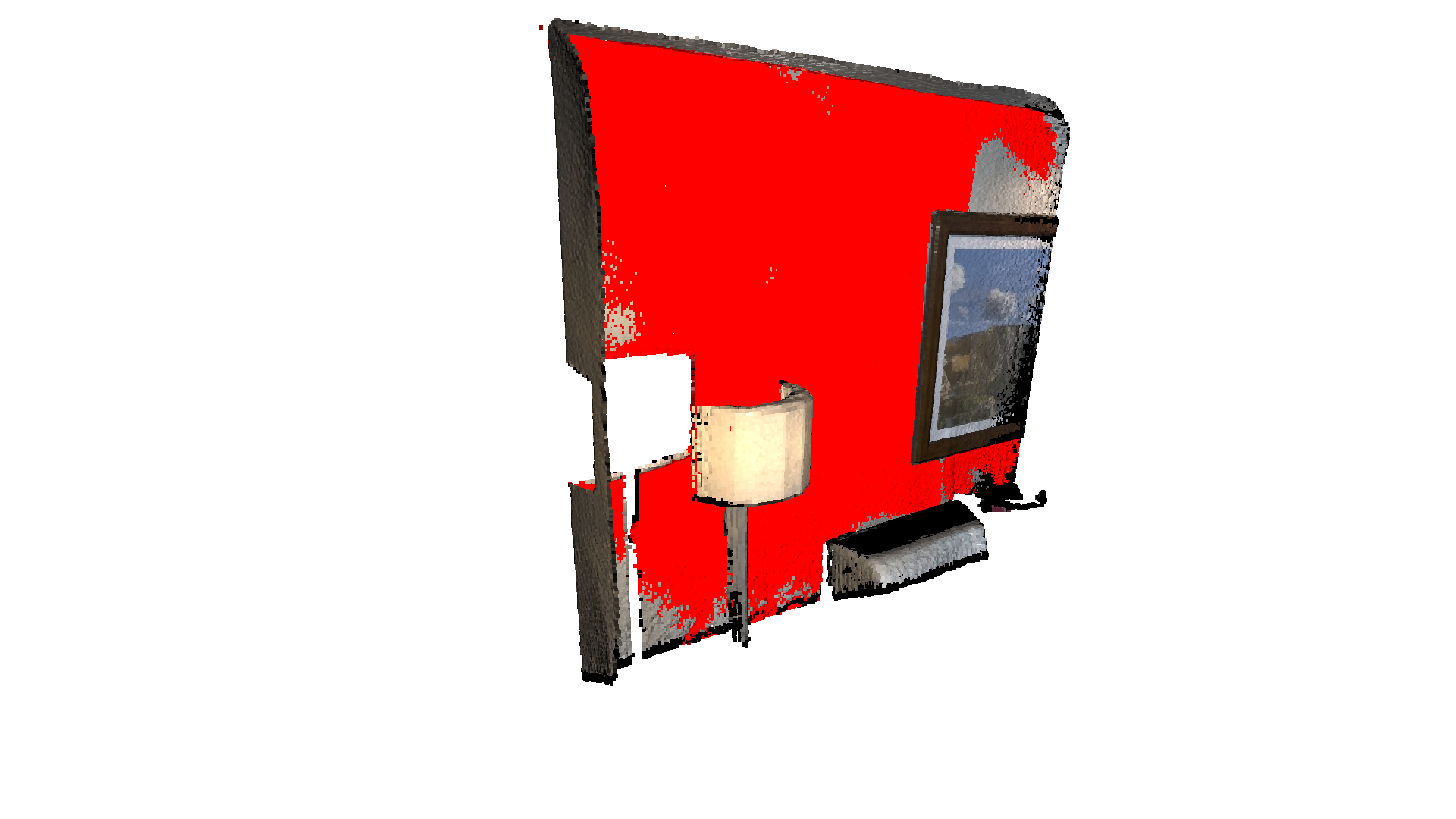
Plane equation: -0.06x + -0.10y + 0.99z + -1.06 = 0[Open3D WARNING] GLFW initialized for headless rendering.要使用特定随机种子获得稳定的结果,可以将 probability 设置为 1.0,这会强制执行的迭代次数等于 num_iterations。(自 0.16.0 起,segment_plane 函数是并行的,迭代次数会按照以下公式更新:iter = log(1 - probability) / log(1 - fitness ^ ransac_n),其中 fitness 是内点数量与总点数的比值。)
o3d.utility.random.seed(0)
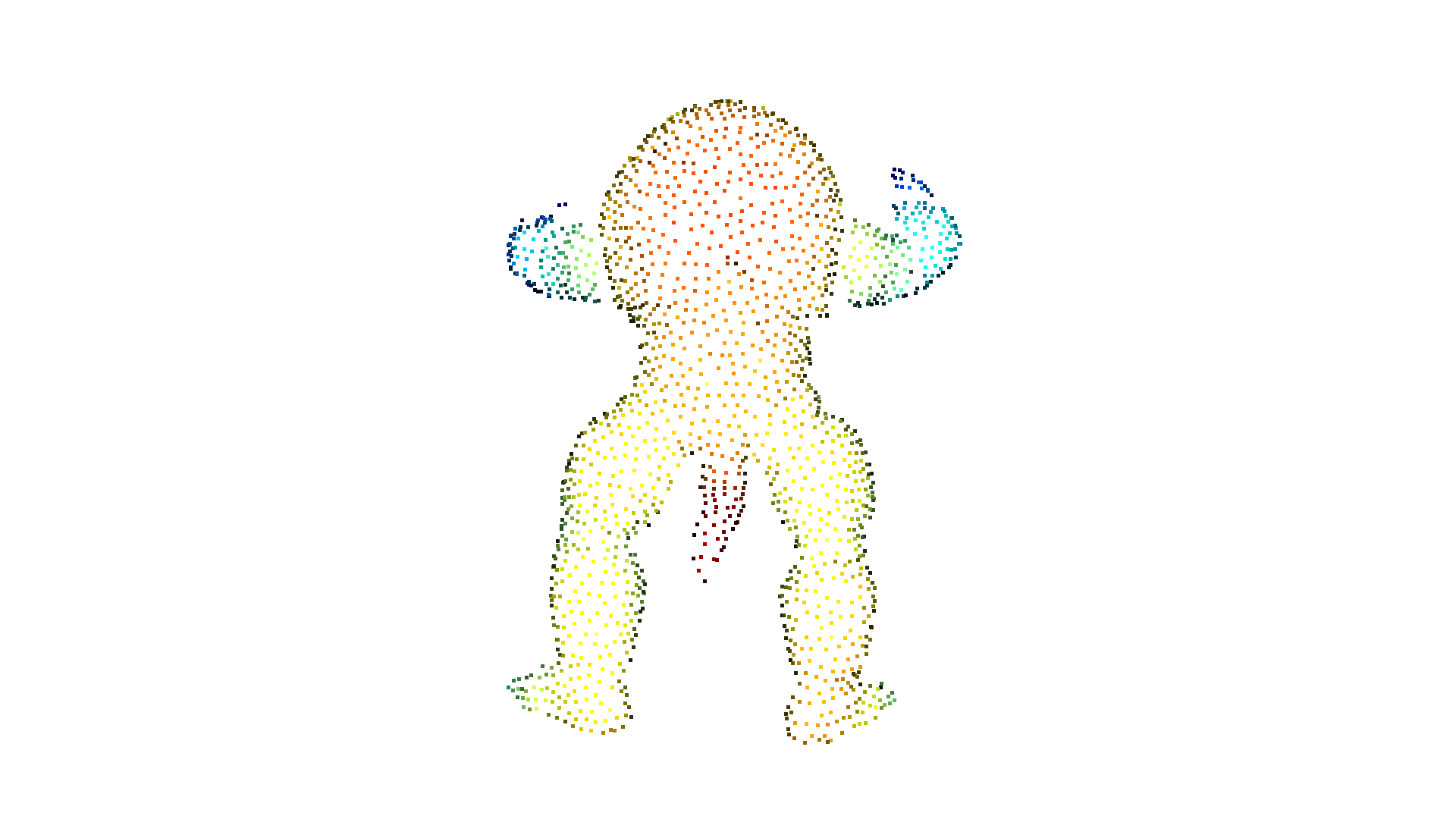
plane_model, inliers = pcd.segment_plane(distance_threshold=0.01, ransac_n=3, num_iterations=1000, probability=1.0)假设你想从给定视点渲染一个点云,但由于背景中的点没有被其他点遮挡,它们会泄漏到前景中。为此,我们可以应用隐藏点移除(hidden point removal)算法。Open3D 实现了由 Katz 等人提出的方法,它可以在不进行表面重建或法线估计的情况下,近似估计点云从给定视角的可见性。
print("Convert mesh to a point cloud and estimate dimensions")armadillo = o3d.data.ArmadilloMesh()mesh = o3d.io.read_triangle_mesh(armadillo.path)# Tensor TriangleMesh not supported this function yet.mesh.compute_vertex_normals()
pcd = mesh.sample_points_poisson_disk(5000)diameter = np.linalg.norm(    np.asarray(pcd.get_max_bound()) - np.asarray(pcd.get_min_bound()))o3d.visualization.draw_geometries([pcd])
print("Define parameters used for hidden_point_removal")camera = o3d.core.Tensor([0, 0, diameter], o3d.core.float32)radius = diameter * 100
print("Get all points that are visible from given view point")pcd = o3d.t.geometry.PointCloud.from_legacy(pcd)_, pt_map = pcd.hidden_point_removal(camera, radius)pcd = pcd.select_by_index(pt_map)
print("Visualize result")o3d.visualization.draw_geometries([pcd.to_legacy()])
Convert mesh to a point cloud and estimate dimensions[Open3D INFO] Downloading https://github.com/isl-org/open3d_downloads/releases/download/20220201-data/ArmadilloMesh.ply[Open3D INFO] Downloaded to /home/runner/open3d_data/download/ArmadilloMesh/ArmadilloMesh.ply[Open3D WARNING] GLFW initialized for headless rendering.
Define parameters used for hidden_point_removalGet all points that are visible from given view pointVisualize result[Open3D WARNING] GLFW initialized for headless rendering.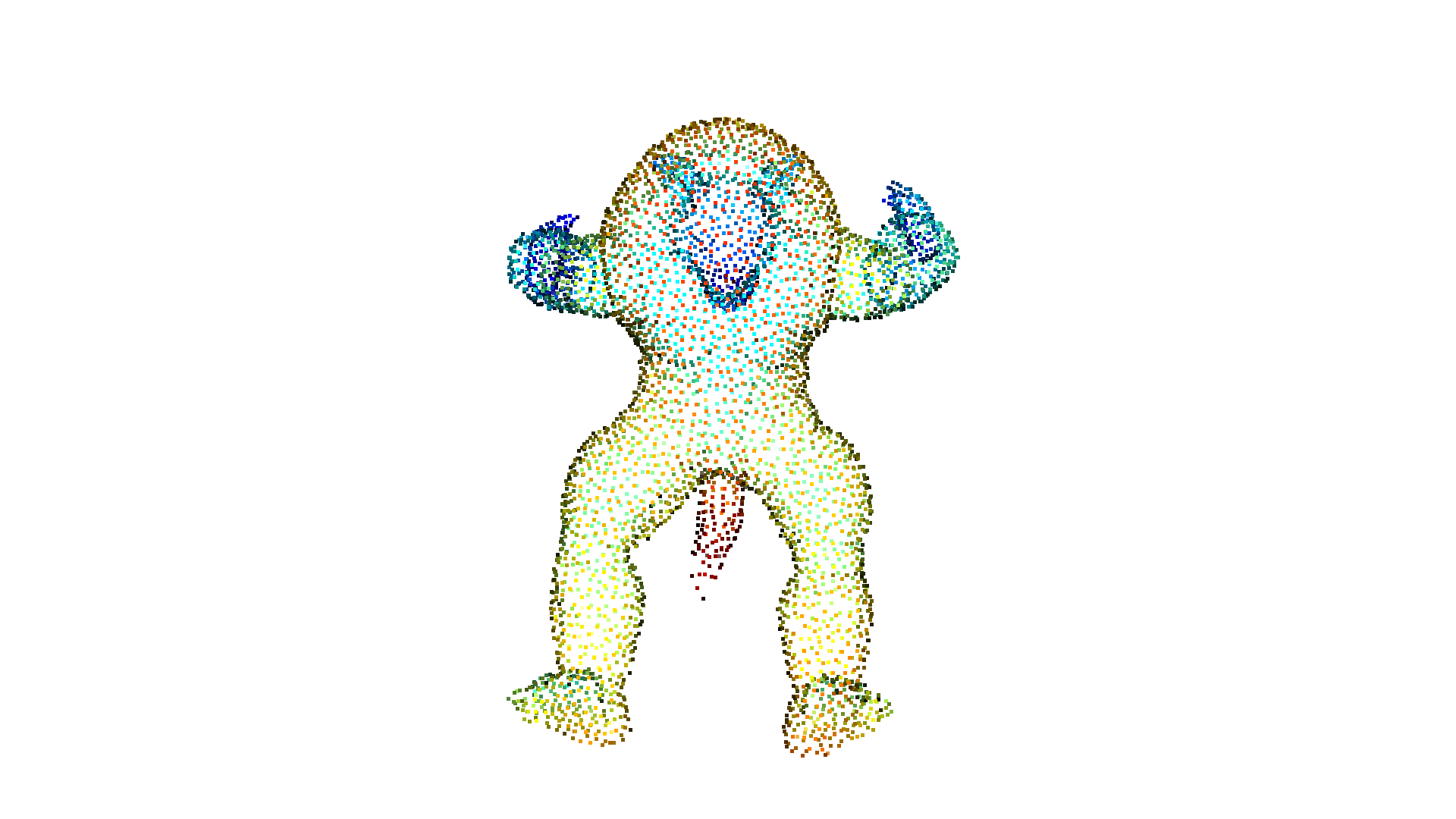
Open3D 实现了受 PCL 启发的边界检测算法。该算法通过分析一个点与其邻居法线之间的夹角,在无序点云中找出边界点。该方法有三个参数:radius 和 max_nn 指定混合最近邻搜索参数;angle_threshold 定义一个点与其邻居法线之间的最大夹角,超过该夹角的点将被视为边界点。该函数返回边界点,以及一个与输入点云大小相同的布尔张量(boolean tensor)。
ply_point_cloud = o3d.data.DemoCropPointCloud()pcd = o3d.t.io.read_point_cloud(ply_point_cloud.point_cloud_path)
boundarys, mask = pcd.compute_boundary_points(0.02, 30)# TODO: not good to get size of points.print(f"Detect {boundarys.point.positions.shape[0]} bnoundary points from {pcd.point.positions.shape[0]} points.")
boundarys = boundarys.paint_uniform_color([1.0, 0.0, 0.0])pcd = pcd.paint_uniform_color([0.6, 0.6, 0.6])o3d.visualization.draw_geometries([pcd.to_legacy(), boundarys.to_legacy()],                                      zoom=0.3412,                                      front=[0.3257, -0.2125, -0.8795],                                      lookat=[2.6172, 2.0475, 1.532],                                      up=[-0.0694, -0.9768, 0.2024])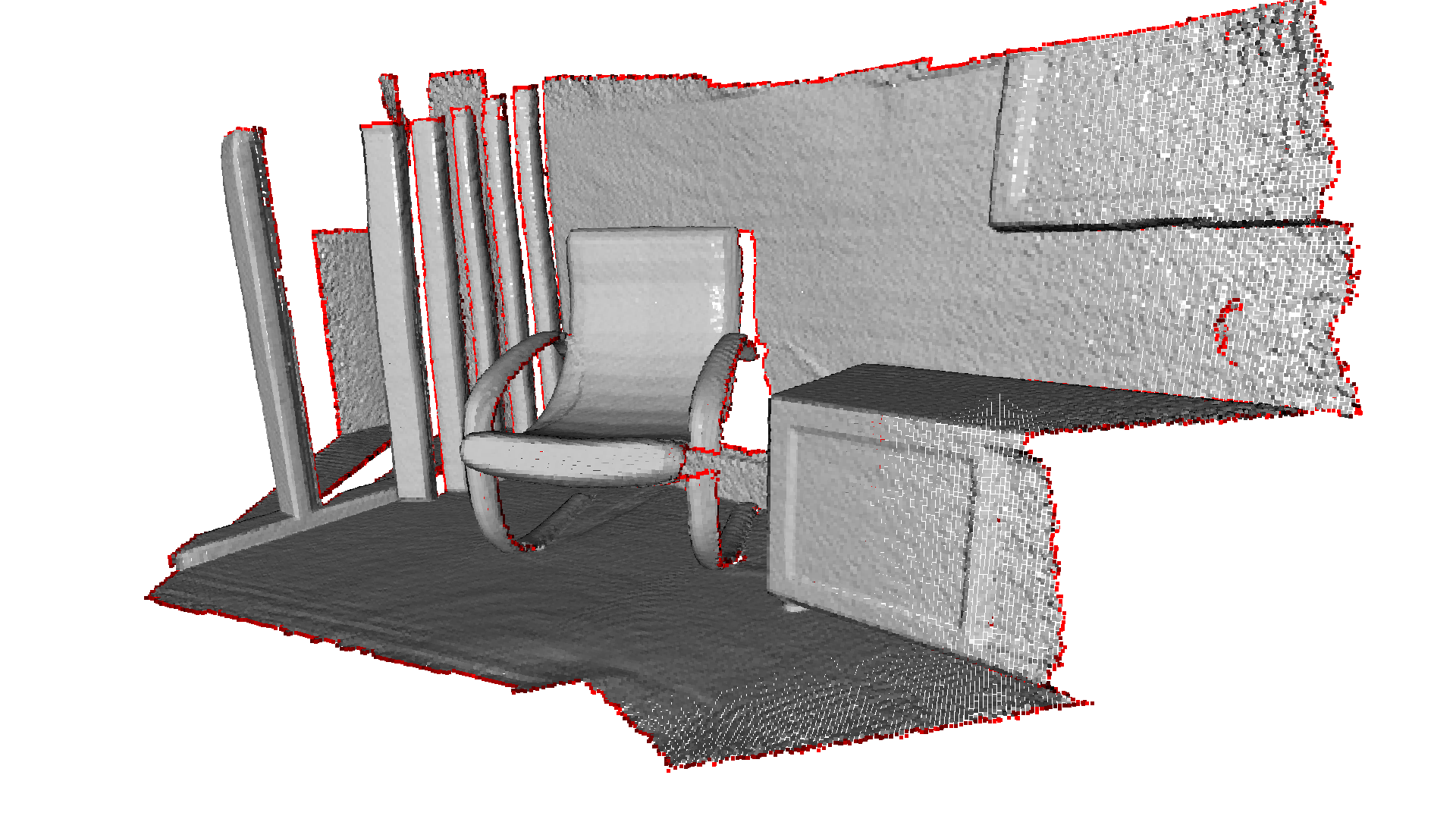
Detect 10846 bnoundary points from 196133 points.[Open3D WARNING] GLFW initialized for headless rendering.