
RGBD 积分
Open3D 实现了一种可扩展的 RGBD 图像积分(integration)算法。该算法基于 [Curless1996] 与 [Newcombe2011] 提出的技术。为支持大场景,我们采用了 ElasticReconstruction 的 Integrater 中引入的分层哈希(hierarchical hashing)结构。
从 .log 文件读取轨迹
Section titled “从 .log 文件读取轨迹”本教程使用函数 read_trajectory 从 .log 文件中读取相机轨迹。一个示例 .log 文件如下:
0 0 11 0 0 20 1 0 20 0 1 -0.30 0 0 11 1 20.999988 3.08668e-005 0.0049181 1.99962-8.84184e-005 0.999932 0.0117022 1.97704-0.0049174 -0.0117024 0.999919 -0.3004860 0 0 1class CameraPose:
def __init__(self, meta, mat): self.metadata = meta self.pose = mat
def __str__(self): return 'Metadata : ' + ' '.join(map(str, self.metadata)) + '\n' + \ "Pose : " + "\n" + np.array_str(self.pose)
def read_trajectory(filename): traj = [] with open(filename, 'r') as f: metastr = f.readline() while metastr: metadata = list(map(int, metastr.split())) mat = np.zeros(shape=(4, 4)) for i in range(4): matstr = f.readline() mat[i, :] = np.fromstring(matstr, dtype=float, sep=' \t') traj.append(CameraPose(metadata, mat)) metastr = f.readline() return trajredwood_rgbd = o3d.data.SampleRedwoodRGBDImages()camera_poses = read_trajectory(redwood_rgbd.odometry_log_path)TSDF 体积分
Section titled “TSDF 体积分”Open3D 提供两类 TSDF 体积:UniformTSDFVolume 和 ScalableTSDFVolume。推荐使用后者,因为它采用分层结构,从而支持更大的场景。
ScalableTSDFVolume 有若干参数。voxel_length = 4.0 / 512.0 表示 TSDF 体积中单个体素的尺寸为 。调低该值可以得到更高分辨率的 TSDF 体积,但积分结果更容易受深度噪声影响。sdf_trunc = 0.04 指定有符号距离函数(SDF)的截断值。当 color_type = TSDFVolumeColorType.RGB8 时,8 位 RGB 颜色也会作为 TSDF 体积的一部分被积分。若使用 color_type = TSDFVolumeColorType.Gray32 并配合 convert_rgb_to_intensity = True,则可以积分浮点型强度(intensity)值。颜色积分的实现灵感来自 PCL。
volume = o3d.pipelines.integration.ScalableTSDFVolume(    voxel_length=4.0 / 512.0,    sdf_trunc=0.04,    color_type=o3d.pipelines.integration.TSDFVolumeColorType.RGB8)
for i in range(len(camera_poses)):    print("Integrate {:d}-th image into the volume.".format(i))    color = o3d.io.read_image(redwood_rgbd.color_paths[i])    depth = o3d.io.read_image(redwood_rgbd.depth_paths[i])    rgbd = o3d.geometry.RGBDImage.create_from_color_and_depth(        color, depth, depth_trunc=4.0, convert_rgb_to_intensity=False)    volume.integrate(        rgbd,        o3d.camera.PinholeCameraIntrinsic(            o3d.camera.PinholeCameraIntrinsicParameters.PrimeSenseDefault),        np.linalg.inv(camera_poses[i].pose))
输出:
Integrate 0-th image into the volume.Integrate 1-th image into the volume.Integrate 2-th image into the volume.Integrate 3-th image into the volume.Integrate 4-th image into the volume.网格提取使用移动立方体(marching cubes)算法 [LorensenAndCline1987]。
print("Extract a triangle mesh from the volume and visualize it.")mesh = volume.extract_triangle_mesh()mesh.compute_vertex_normals()o3d.visualization.draw_geometries([mesh], front=[0.5297, -0.1873, -0.8272], lookat=[2.0712, 2.0312, 1.7251], up=[-0.0558, -0.9809, 0.1864], zoom=0.47)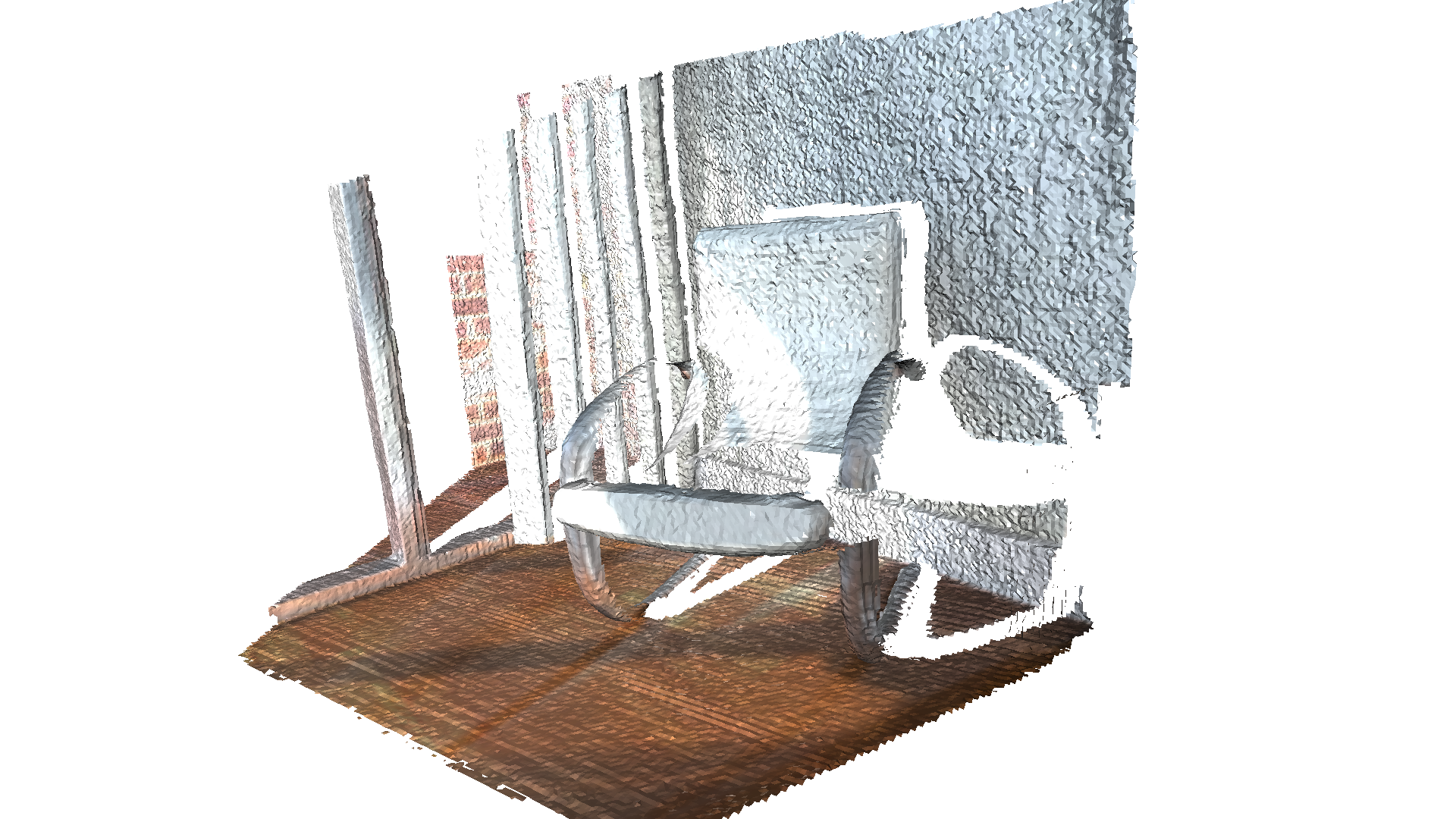
输出:
Extract a triangle mesh from the volume and visualize it.[Open3D WARNING] GLFW Error: Failed to detect any supported platform[Open3D WARNING] GLFW initialized for headless rendering.