
移动基座与机械臂
本教程将展示如何配置一个带差速驱动基座的移动机械臂(mobile manipulator),以便使用 MoveIt 为基座与其他自由度规划协调运动。虽然你也可以使用 MoveIt 仅针对基座进行规划,但不推荐这样做——纯导航请使用 Nav2。本教程以 Hello Robot 的 Stretch 平台为例进行演示,同样的方法适用于任何带差速驱动(diff-drive)基座的移动机械臂。
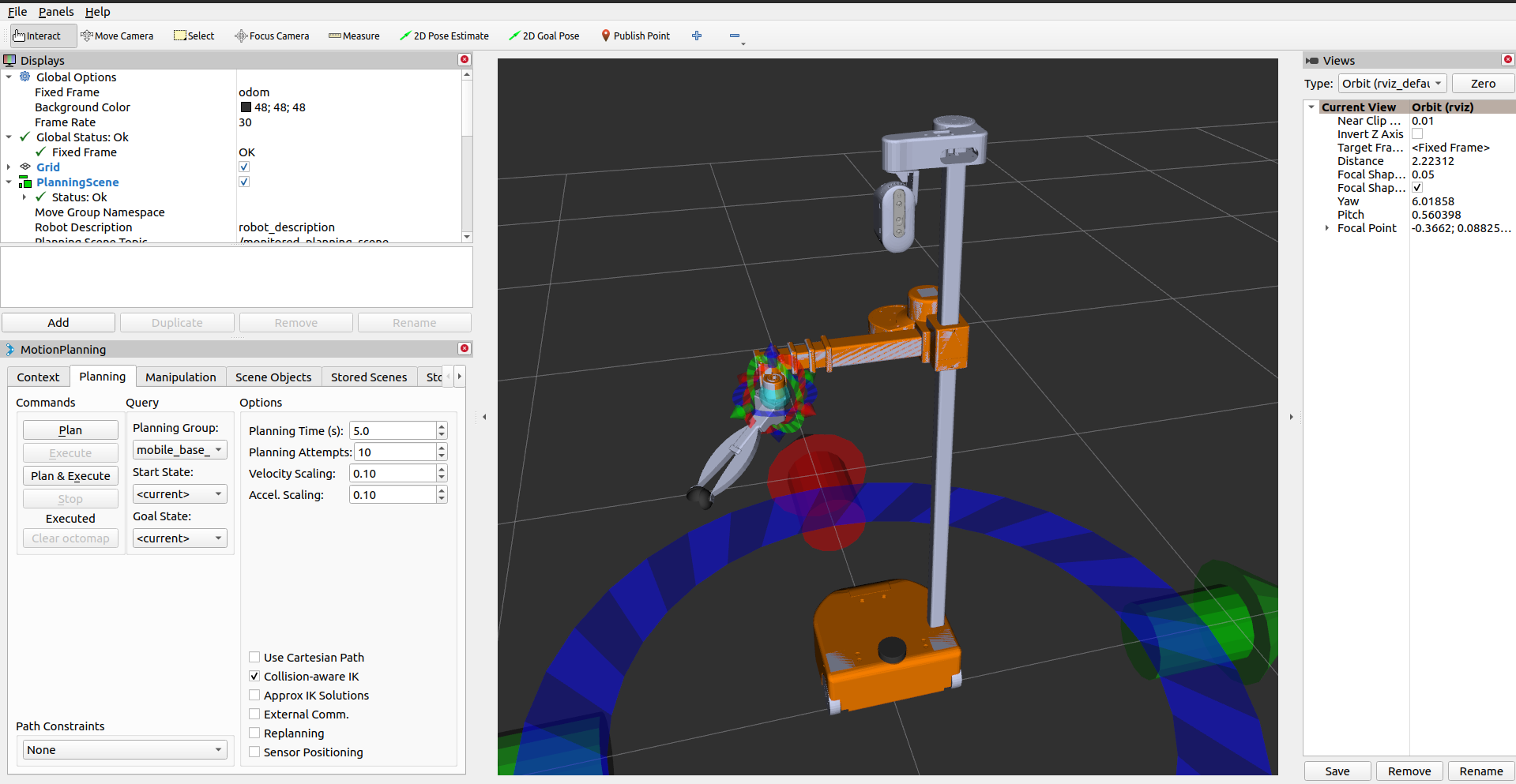
如果尚未完成,请先完成 Getting Started 中的步骤。
安装依赖项:
cd ~/ws_moveit/srcwget https://raw.githubusercontent.com/PickNikRobotics/stretch_ros/ros2/stretch_ros.reposvcs import < stretch_ros.reposrosdep install -r --from-paths . --ignore-src --rosdistro {DISTRO} -y构建 colcon 工作空间:
cd ~/ws_moveitcolcon build --event-handlers desktop_notification- status- --cmake-args -DCMAKE_BUILD_TYPE=Releasesource colcon 工作空间:
source ~/ws_moveit/install/setup.bash为移动基座与机械臂设置 IK 求解器
Section titled “为移动基座与机械臂设置 IK 求解器”要配置运动学插件,我们需要一个由两个子规划组组成的规划组:一个用于机械臂(manipulator),另一个用于移动基座(mobile base),后者只有一个平面(planar)类型的关节。因此 *.srdf 文件应包含:
<group name="manipulator"> ...</group><group name="mobile_base"> <joint name="planar_joint" /> <!-- planar_joint must have planar type --></group><group name="mobile_base_manipulator"> <group name="manipulator" /> <group name="mobile_base" /></group>在 kinematics.yaml 文件中,mobile_base_manipulator 组需要使用 stretch_kinematics_plugin/StretchKinematicsPlugin 作为运动学求解器:
mobile_base_manipulator: kinematics_solver: stretch_kinematics_plugin/StretchKinematicsPlugin kinematics_solver_search_resolution: 0.005 kinematics_solver_timeout: 0.1关于 Stretch 机器人的具体配置方式,请参阅 stretch_description.srdf 和 kinematics.yaml。
源码请查看 stretch_kinematics_plugin。
为基座设置运动学模型
Section titled “为基座设置运动学模型”为了能够为差速驱动基座生成规划,我们需要设置两个关节属性(joint property):
motion_model
Section titled “motion_model”用于配置平面关节模型,有两个可选值:
- holonomic:关节可以向任意方向移动。如果没有指定 motion_model 关节属性,这是默认值。
- diff_drive:关节具有差速驱动约束(无法侧向移动)。
<joint_property joint_name="planar_joint_name" property_name="motion_model" value="diff_drive" />min_translational_distance
Section titled “min_translational_distance”如果两个状态之间的距离小于 min_translational_distance,则运动将变为纯旋转,该参数默认值为 1e-5。关于为何需要该参数,更多信息请参阅 computeTurnDriveTurnGeometry。
<joint_property joint_name="planar_joint_name" property_name="min_translational_distance" value="0.01" />angular_distance_weight
Section titled “angular_distance_weight”可同时为平面关节(diff_drive/holonomic)和浮动关节(floating joint)设置,默认值为 1.0。
该参数用于计算两个基座位姿 (x0, y0, theta0) 和 (x1, y1, theta1) 之间的距离,定义为位置距离与方向距离的加权和:||(x0, y0) - (x1, y1)|| + angular_distance_weight * |theta0 - theta1|。
<joint_property joint_name="planar_joint_name" property_name="angular_distance_weight" value="0.5" />打开一个终端并启动 RViz,等待所有内容加载完成:
ros2 launch stretch_moveit_config demo.launch.py use_fake_controller:=True完整的启动文件在 GitHub 上的这里。