
ICP 配准
本教程演示 ICP(Iterative Closest Point,迭代最近点)配准算法。多年来,它一直是研究和工业界几何配准的中流砥柱。输入是两个点云以及一个将源点云大致对齐到目标点云的初始变换。输出则是一个精细的变换,能够将两个点云紧密对齐。辅助函数 draw_registration_result 可在配准过程中可视化对齐效果。在本教程中,我们将介绍两种 ICP 变体:point-to-point ICP(点到点 ICP)和 point-to-plane ICP(点到面 ICP)。
辅助可视化函数
Section titled “辅助可视化函数”下面的函数可视化一个目标点云,以及一个经过对齐变换后的源点云。目标点云和源点云分别被涂上青色和黄色。两个点云相互重叠得越多、越紧密,对齐结果就越好。
def draw_registration_result(source, target, transformation): source_temp = copy.deepcopy(source) target_temp = copy.deepcopy(target) source_temp.paint_uniform_color([1, 0.706, 0]) target_temp.paint_uniform_color([0, 0.651, 0.929]) source_temp.transform(transformation) o3d.visualization.draw_geometries([source_temp, target_temp], zoom=0.4459, front=[0.9288, -0.2951, -0.2242], lookat=[1.6784, 2.0612, 1.4451], up=[-0.3402, -0.9189, -0.1996])下面的代码从两个文件中读取一个源点云和一个目标点云,并给出了一个粗略的变换。
demo_icp_pcds = o3d.data.DemoICPPointClouds()source = o3d.io.read_point_cloud(demo_icp_pcds.paths[0])target = o3d.io.read_point_cloud(demo_icp_pcds.paths[1])threshold = 0.02trans_init = np.asarray([[0.862, 0.011, -0.507, 0.5], [-0.139, 0.967, -0.215, 0.7], [0.487, 0.255, 0.835, -1.4], [0.0, 0.0, 0.0, 1.0]])draw_registration_result(source, target, trans_init)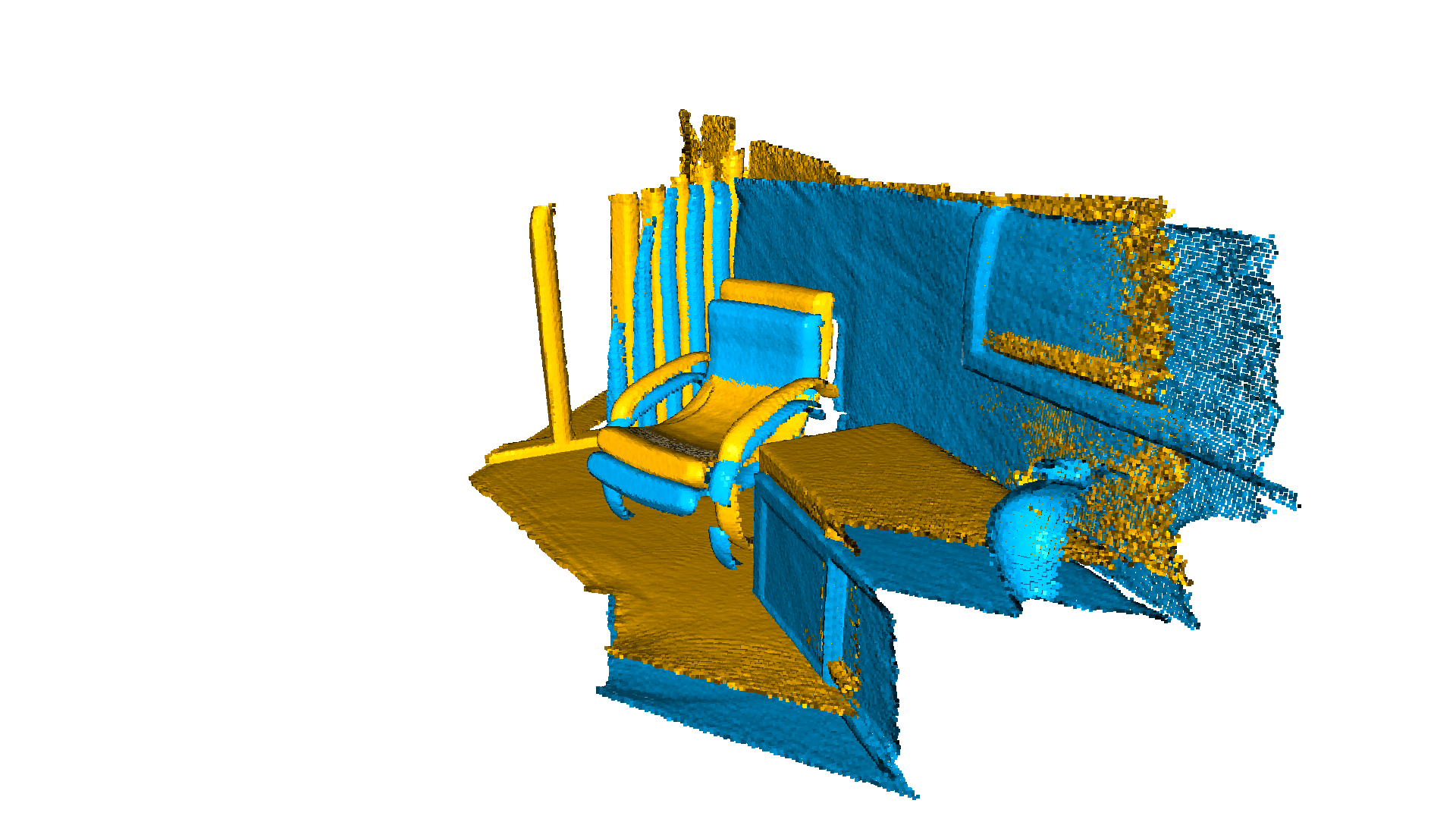
[Open3D INFO] Downloading https://github.com/isl-org/open3d_downloads/releases/download/20220301-data/DemoICPPointClouds.zip[Open3D INFO] Downloaded to /home/runner/open3d_data/download/DemoICPPointClouds/DemoICPPointClouds.zip[Open3D INFO] Created directory /home/runner/open3d_data/extract/DemoICPPointClouds.[Open3D INFO] Extracting /home/runner/open3d_data/download/DemoICPPointClouds/DemoICPPointClouds.zip.[Open3D INFO] Extracted to /home/runner/open3d_data/extract/DemoICPPointClouds.[Open3D WARNING] GLFW Error: Failed to detect any supported platform[Open3D WARNING] GLFW initialized for headless rendering.函数 evaluate_registration 计算两个主要指标:
- fitness,衡量重叠区域的大小(内点对应数 / 目标点云中的点数)。越高越好。
- inlier_rmse,衡量所有内点对应的 RMSE(均方根误差)。越低越好。
print("Initial alignment")evaluation = o3d.pipelines.registration.evaluate_registration( source, target, threshold, trans_init)print(evaluation)Initial alignmentRegistrationResult with fitness=0.174723, inlier_rmse=0.011771, and correspondence_set size of 34741Access transformation to get result.点到点 ICP
Section titled “点到点 ICP”一般来说,ICP 算法迭代执行以下两个步骤:
- 从目标点云 以及用当前变换矩阵 变换后的源点云 中,找到对应集 。
- 通过最小化定义在对应集 上的目标函数 来更新变换 。
ICP 的不同变体使用不同的目标函数 。我们首先展示使用如下目标的点到点 ICP 算法:
类 TransformationEstimationPointToPoint 提供了计算点到点 ICP 目标的残差和雅可比矩阵的函数。函数 registration_icp 将其作为参数,并运行点到点 ICP 以获得结果。
print("Apply point-to-point ICP")reg_p2p = o3d.pipelines.registration.registration_icp( source, target, threshold, trans_init, o3d.pipelines.registration.TransformationEstimationPointToPoint())print(reg_p2p)print("Transformation is:")print(reg_p2p.transformation)draw_registration_result(source, target, reg_p2p.transformation)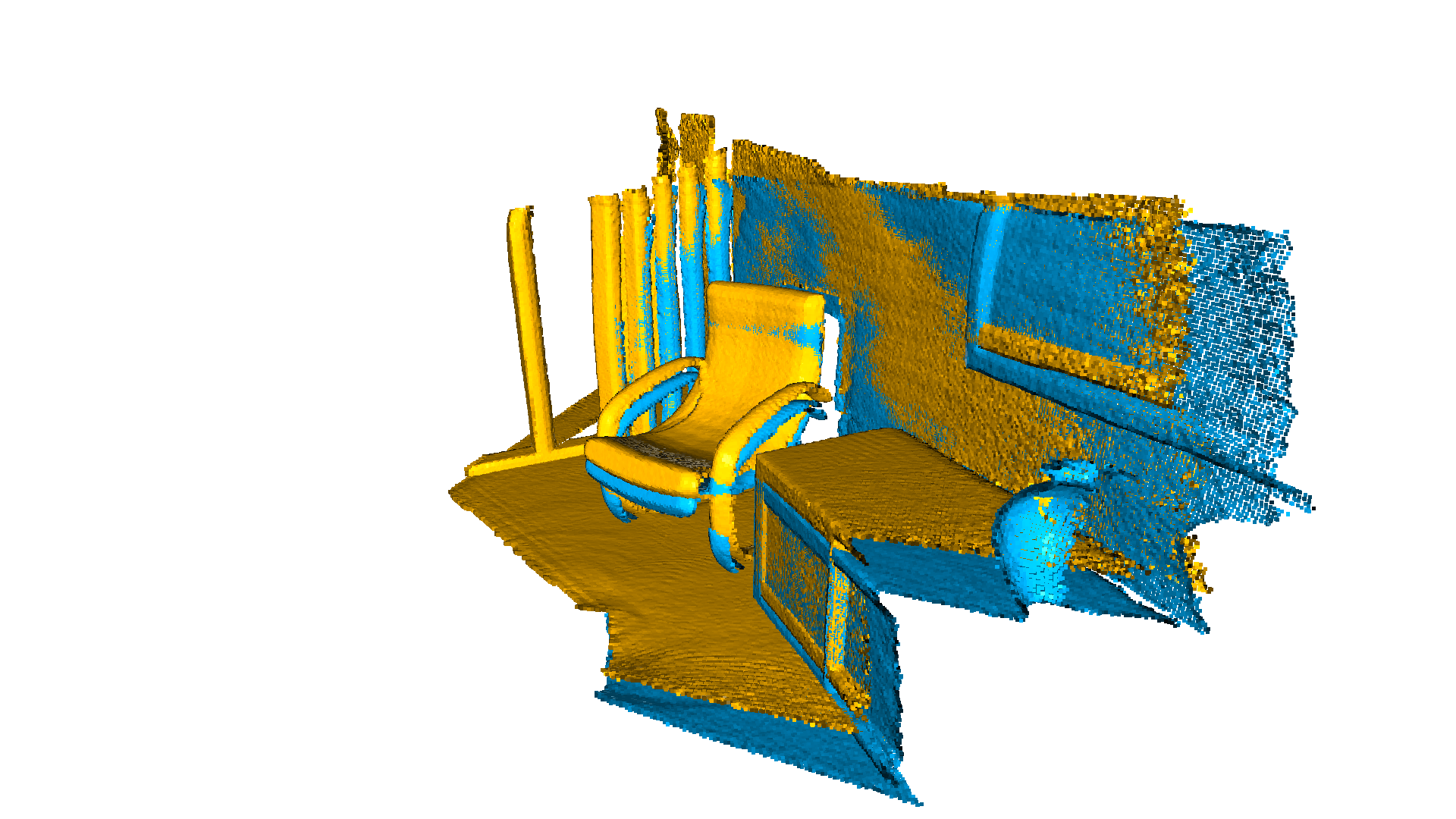
Apply point-to-point ICPRegistrationResult with fitness=0.372450, inlier_rmse=0.007760, and correspondence_set size of 74056Access transformation to get result.Transformation is:[[ 0.83924644 0.01006041 -0.54390867 0.64639961] [-0.15102344 0.96521988 -0.21491604 0.75166079] [ 0.52191123 0.2616952 0.81146378 -1.50303533] [ 0. 0. 0. 1. ]][Open3D WARNING] GLFW initialized for headless rendering.fitness 分数从 0.174723 提升到了 0.372450。inlier_rmse 从 0.011771 降到了 0.007760。默认情况下,registration_icp 会一直运行直到收敛或达到最大迭代次数(默认为 30)。可以修改该值以允许更多的计算时间,从而进一步改善结果。
reg_p2p = o3d.pipelines.registration.registration_icp( source, target, threshold, trans_init, o3d.pipelines.registration.TransformationEstimationPointToPoint(), o3d.pipelines.registration.ICPConvergenceCriteria(max_iteration=2000))print(reg_p2p)print("Transformation is:")print(reg_p2p.transformation)draw_registration_result(source, target, reg_p2p.transformation)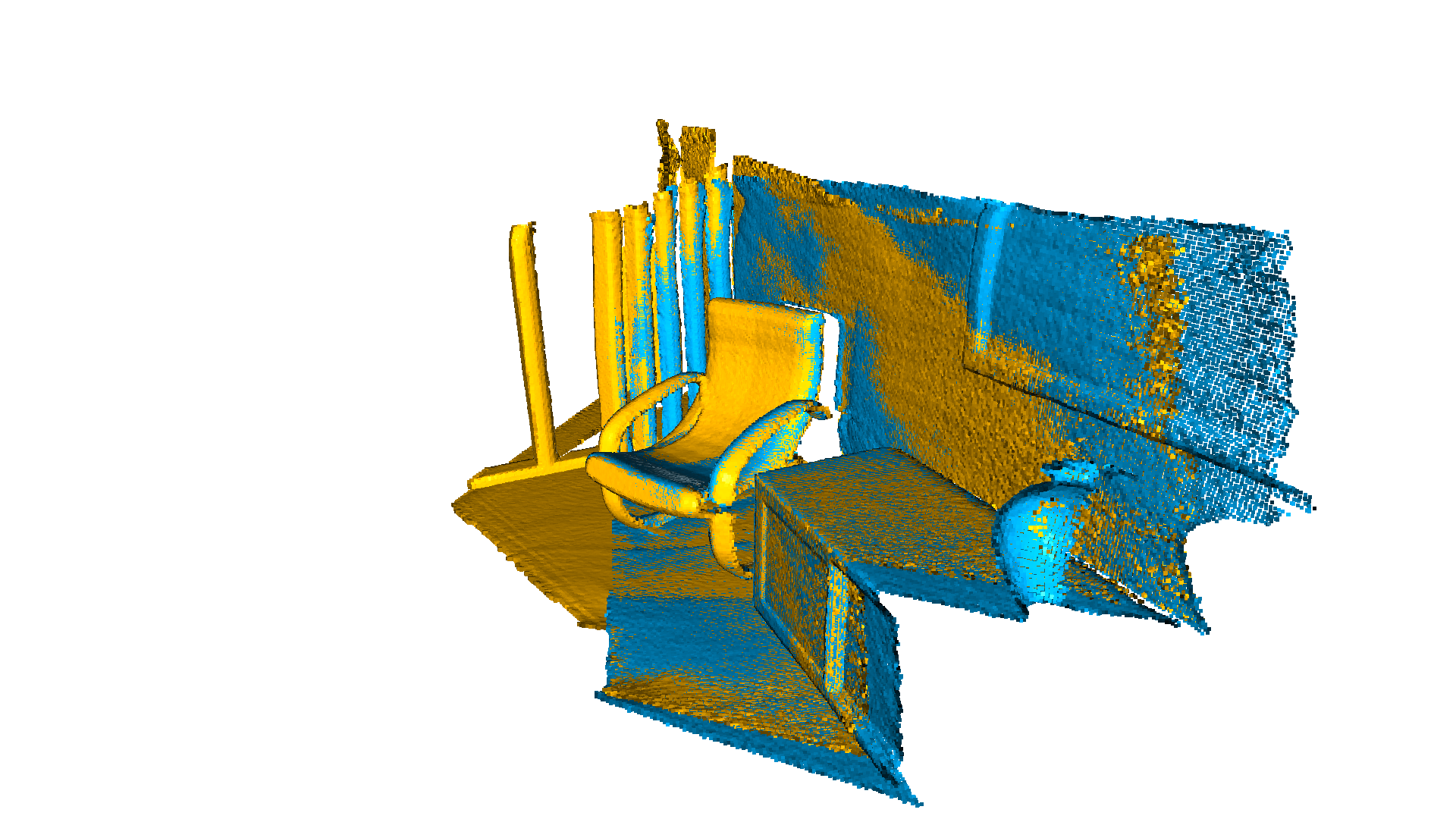
RegistrationResult with fitness=0.621123, inlier_rmse=0.006583, and correspondence_set size of 123501Access transformation to get result.Transformation is:[[ 0.84024592 0.00687676 -0.54241281 0.6463702 ] [-0.14819104 0.96517833 -0.21706206 0.81180074] [ 0.52111439 0.26195134 0.81189372 -1.48346821] [ 0. 0. 0. 1. ]][Open3D WARNING] GLFW initialized for headless rendering.最终的对齐非常紧密。fitness 分数提升到了 0.621123,inlier_rmse 降低到了 0.006583。
点到面 ICP
Section titled “点到面 ICP”点到面 ICP 算法使用一个不同的目标函数:
其中 是点 的法向量。已有研究表明,点到面 ICP 算法比点到点 ICP 算法具有更快的收敛速度。
registration_icp 被调用时传入了一个不同的参数 TransformationEstimationPointToPlane。该类在内部实现了计算点到面 ICP 目标的残差和雅可比矩阵的函数。
print("Apply point-to-plane ICP")reg_p2l = o3d.pipelines.registration.registration_icp( source, target, threshold, trans_init, o3d.pipelines.registration.TransformationEstimationPointToPlane())print(reg_p2l)print("Transformation is:")print(reg_p2l.transformation)draw_registration_result(source, target, reg_p2l.transformation)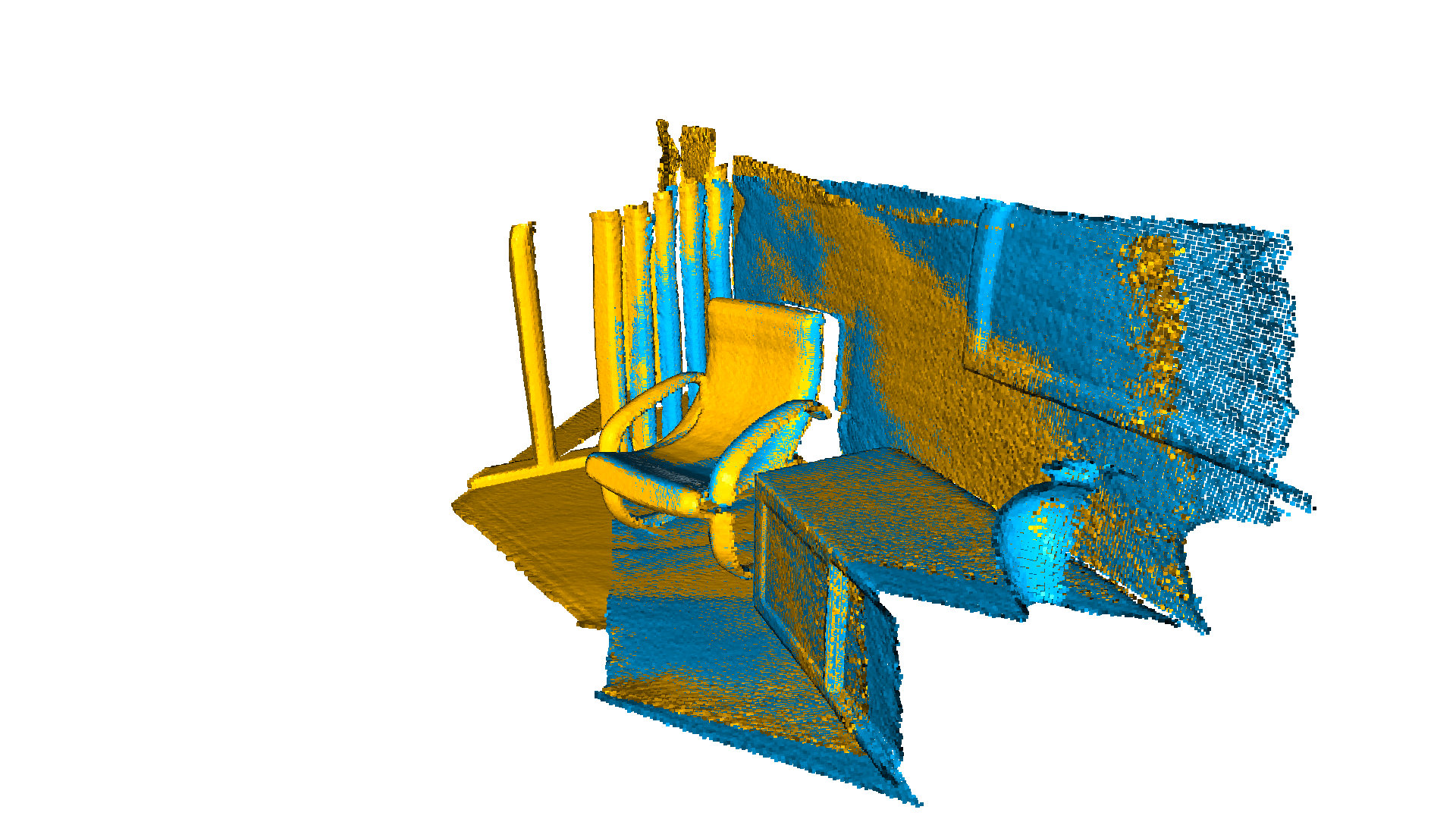
Apply point-to-plane ICPRegistrationResult with fitness=0.620972, inlier_rmse=0.006581, and correspondence_set size of 123471Access transformation to get result.Transformation is:[[ 0.84023324 0.00618369 -0.54244126 0.64720943] [-0.14752342 0.96523919 -0.21724508 0.81018928] [ 0.52132423 0.26174429 0.81182576 -1.48366001] [ 0. 0. 0. 1. ]][Open3D WARNING] GLFW initialized for headless rendering.点到面 ICP 在 30 次迭代内就达到了紧密的对齐(fitness 分数为 0.620972,inlier_rmse 为 0.006581)。
点到面 ICP 算法需要用到点的法向量。在本教程中,我们从文件中加载法向量。如果没有给出法向量,可以使用顶点法向量估计(Vertex normal estimation)来计算。