
机器人模型与机器人状态
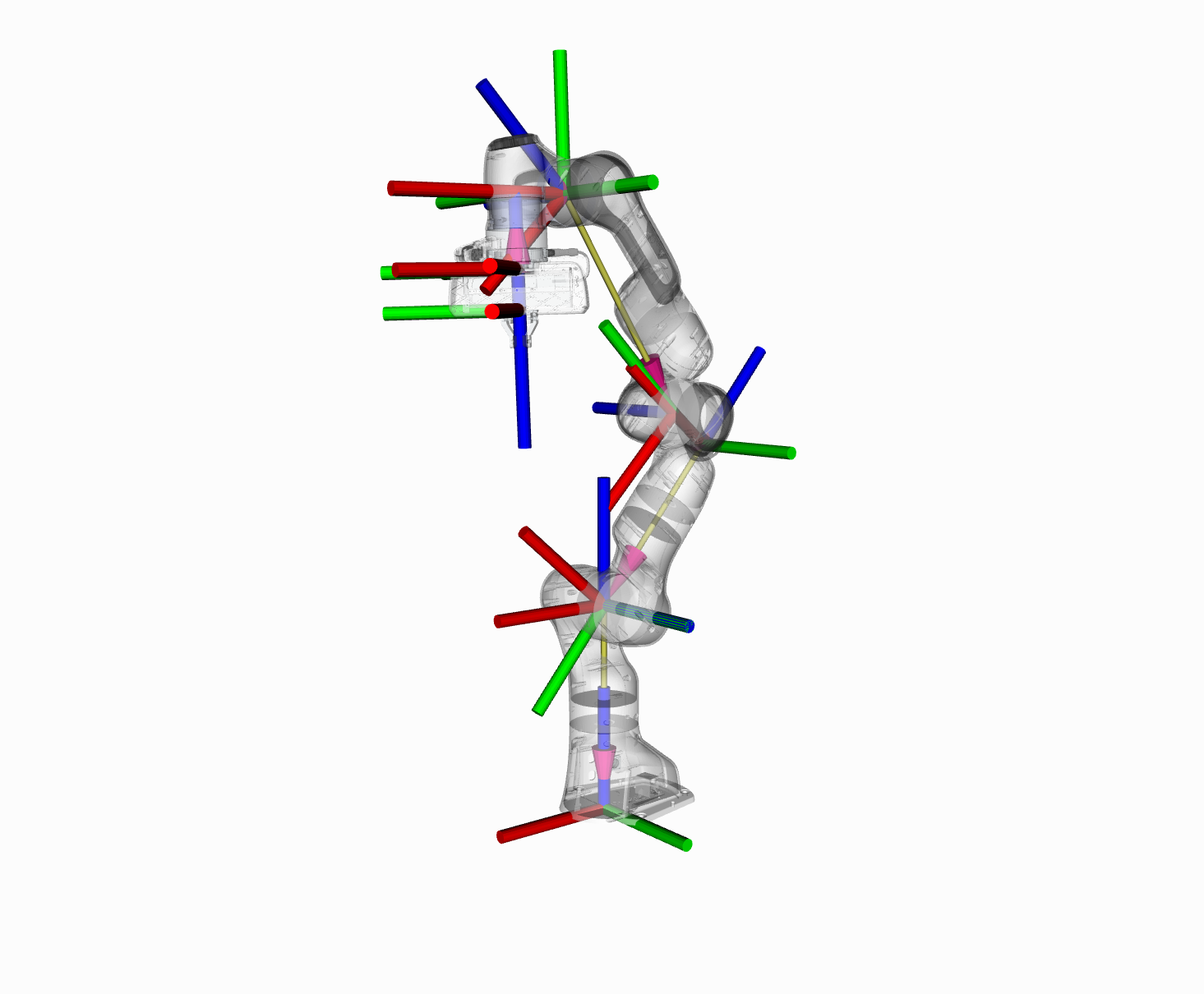
本节将带你了解 MoveIt 中与运动学相关的 C++ API。
RobotModel 和 RobotState 类
Section titled “RobotModel 和 RobotState 类”RobotModel 和 RobotState 类是访问机器人运动学信息的核心类。
RobotModel 类包含所有连杆和关节之间的关系,包括从 URDF 加载的关节限位属性。RobotModel 还将机器人的连杆和关节划分为 SRDF 中定义的规划组。关于 URDF 和 SRDF 的单独教程可以在这里找到:URDF 与 SRDF 教程
RobotState 包含机器人在某个特定时间点的信息,存储关节位置向量,并可选地存储速度和加速度。这些信息可以用来获取依赖于机器人当前状态的运动学信息,例如末端执行器的雅可比矩阵(Jacobian)。
RobotState 还包含一些辅助函数,用于根据末端执行器的位置(笛卡尔位姿)设置机械臂的位置,以及计算笛卡尔轨迹。
在本示例中,我们将带你了解如何使用这些类来操作 Panda 机器人。
如果尚未完成,请先完成 Getting Started 中的步骤。
本教程中的所有代码都可以从 moveit2_tutorials 包中编译并运行,该包是 MoveIt 安装的一部分。
通过 ros2 launch 启动下面的 launch 文件,即可直接从 moveit2_tutorials 运行代码:
ros2 launch moveit2_tutorials robot_model_and_robot_state_tutorial.launch.py预期输出如下。由于我们使用的是随机的关节值,数字会有所不同:
... [robot_model_and_state_tutorial]: Model frame: world... [robot_model_and_state_tutorial]: Joint panda_joint1: 0.000000... [robot_model_and_state_tutorial]: Joint panda_joint2: 0.000000... [robot_model_and_state_tutorial]: Joint panda_joint3: 0.000000... [robot_model_and_state_tutorial]: Joint panda_joint4: 0.000000... [robot_model_and_state_tutorial]: Joint panda_joint5: 0.000000... [robot_model_and_state_tutorial]: Joint panda_joint6: 0.000000... [robot_model_and_state_tutorial]: Joint panda_joint7: 0.000000... [robot_model_and_state_tutorial]: Current state is not valid... [robot_model_and_state_tutorial]: Current state is valid... [robot_model_and_state_tutorial]: Translation:-0.3682320.6457420.752193
... [robot_model_and_state_tutorial]: Rotation: 0.362374 -0.925408  -0.11093 0.911735  0.327259  0.248275 -0.193453 -0.191108  0.962317
... [robot_model_and_state_tutorial]: Joint panda_joint1: 2.263889... [robot_model_and_state_tutorial]: Joint panda_joint2: 1.004608... [robot_model_and_state_tutorial]: Joint panda_joint3: -1.125652... [robot_model_and_state_tutorial]: Joint panda_joint4: -0.278822... [robot_model_and_state_tutorial]: Joint panda_joint5: -2.150242... [robot_model_and_state_tutorial]: Joint panda_joint6: 2.274891... [robot_model_and_state_tutorial]: Joint panda_joint7: -0.774846... [robot_model_and_state_tutorial]: Jacobian: -0.645742 -0.26783 -0.0742358 -0.315413 0.0224927 -0.031807 -2.77556e-17 -0.368232 0.322474 0.0285092 -0.364197 0.00993438 0.072356 2.77556e-17 0 -0.732023 -0.109128 0.218716 2.9777e-05 -0.11378 -1.04083e-17 0 -0.769274 -0.539217 0.640569 -0.36792 -0.91475 -0.11093 0 -0.638919 0.64923 -0.0973283 0.831769 -0.40402 0.248275 1 4.89664e-12 0.536419 0.761708 0.415688 -0.00121099 0.962317注意:如果你的 ROS 控制台输出格式与此不同,也不必担心。
完整代码可以在 MoveIt GitHub 项目 中查看。
设置和使用 RobotModel 类非常容易。总的来说,你会发现大多数更高级的组件都会返回一个指向 RobotModel 的共享指针,只要可能,你就应该使用它。在本示例中,我们将从一个这样的共享指针开始,并且只讨论基本的 API。你可以查看这些类的实际代码 API,了解如何使用这些类所提供的功能。
我们将从实例化一个 RobotModelLoader 对象开始,它会在 ROS 参数服务器上查找机器人描述,并为我们构造一个可供使用的 RobotModel。
robot_model_loader::RobotModelLoader robot_model_loader(node);const moveit::core::RobotModelPtr& kinematic_model = robot_model_loader.getModel();RCLCPP_INFO(LOGGER, "Model frame: %s", kinematic_model->getModelFrame().c_str());使用 RobotModel,我们可以构造一个 RobotState,它维护机器人的配置。我们将把状态中的所有关节设置为默认值。然后我们可以获得一个 JointModelGroup,它表示特定组的机器人模型,例如 Panda 机器人的 “panda_arm” 组。
moveit::core::RobotStatePtr robot_state(new moveit::core::RobotState(kinematic_model));robot_state->setToDefaultValues();const moveit::core::JointModelGroup* joint_model_group = kinematic_model->getJointModelGroup("panda_arm");
const std::vector<std::string>& joint_names = joint_model_group->getVariableNames();我们可以检索状态中为 Panda 机械臂存储的当前关节值集合。
std::vector<double> joint_values;robot_state->copyJointGroupPositions(joint_model_group, joint_values);for (std::size_t i = 0; i < joint_names.size(); ++i){ RCLCPP_INFO(LOGGER, "Joint %s: %f", joint_names[i].c_str(), joint_values[i]);}setJointGroupPositions() 本身不会强制执行关节限位,但调用 enforceBounds() 可以做到这一点。
/* Set one joint in the Panda arm outside its joint limit */joint_values[0] = 5.57;robot_state->setJointGroupPositions(joint_model_group, joint_values);
/* Check whether any joint is outside its joint limits */RCLCPP_INFO_STREAM(LOGGER, "Current state is " << (robot_state->satisfiesBounds() ? "valid" : "not valid"));
/* Enforce the joint limits for this state and check again*/robot_state->enforceBounds();RCLCPP_INFO_STREAM(LOGGER, "Current state is " << (robot_state->satisfiesBounds() ? "valid" : "not valid"));现在,我们可以为一组随机的关节值计算正向运动学。请注意,我们想要找到 “panda_link8” 的位姿,它是机器人 “panda_arm” 组中最末端的连杆。
robot_state->setToRandomPositions(joint_model_group);const Eigen::Isometry3d& end_effector_state = robot_state->getGlobalLinkTransform("panda_link8");
/* Print end-effector pose. Remember that this is in the model frame */RCLCPP_INFO_STREAM(LOGGER, "Translation: \n" << end_effector_state.translation() << "\n");RCLCPP_INFO_STREAM(LOGGER, "Rotation: \n" << end_effector_state.rotation() << "\n");我们现在可以为 Panda 机器人求解逆运动学(IK)。要求解 IK,我们需要以下内容:
- 末端执行器的期望位姿(默认情况下,这是 “panda_arm” 链中的最后一个连杆):即我们在上一步中计算出的
end_effector_state。 - 超时时间:0.1 秒
double timeout = 0.1;bool found_ik = robot_state->setFromIK(joint_model_group, end_effector_state, timeout);现在,我们可以打印出 IK 解(如果找到的话):
if (found_ik){ robot_state->copyJointGroupPositions(joint_model_group, joint_values); for (std::size_t i = 0; i < joint_names.size(); ++i) { RCLCPP_INFO(LOGGER, "Joint %s: %f", joint_names[i].c_str(), joint_values[i]); }}else{ RCLCPP_INFO(LOGGER, "Did not find IK solution");}获取雅可比矩阵
Section titled “获取雅可比矩阵”我们还可以从 RobotState 中获取雅可比矩阵。
Eigen::Vector3d reference_point_position(0.0, 0.0, 0.0);Eigen::MatrixXd jacobian;robot_state->getJacobian(joint_model_group, robot_state->getLinkModel(joint_model_group->getLinkModelNames().back()), reference_point_position, jacobian);RCLCPP_INFO_STREAM(LOGGER, "Jacobian: \n" << jacobian << "\n");要运行代码,你需要一个 launch 文件,它做两件事:
- 将 Panda 的 URDF 和 SRDF 加载到参数服务器上;
- 将 MoveIt Setup Assistant 生成的
kinematics_solver配置放到 ROS 参数服务器上,放在实例化本教程中类的节点的命名空间中。
from launch import LaunchDescriptionfrom launch_ros.actions import Nodefrom moveit_configs_utils import MoveItConfigsBuilder

def generate_launch_description():    moveit_config = MoveItConfigsBuilder("moveit_resources_panda").to_moveit_configs()
    tutorial_node = Node(        package="moveit2_tutorials",        executable="robot_model_and_robot_state_tutorial",        output="screen",        parameters=[            moveit_config.robot_description,            moveit_config.robot_description_semantic,            moveit_config.robot_description_kinematics,        ],    )
    return LaunchDescription([tutorial_node])